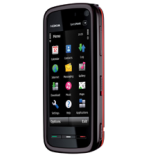
Backup Nokia 5800 XpressMusic with PhoneCopy

Nokia 5800 XpressMusic has been reported by PhoneCopy users as working. Please note that following settings may little vary depending on the firmware version.

Also visit our step by step screenshot guide

Nokia 5800 XpressMusic

Nokia 5800 XpressMusic supports

  • contact synchronization
  • calendar synchronization
  • task synchronization
  • note synchronization
  • sms backup
  • sync via wifi
  • automatic sync

How to synchronize Nokia 5800 XpressMusic with PhoneCopy

First go to the phone's Main Menu and then follow these steps:

  1. Select Settings, then Connectivity. Under Connectivity select Data transfer and afterwards Sync.
  2. Click Option and select New sync profile.
  3. Click Start and in Profile name write PhoneCopy, then as Server version select 1.2.
  4. Tick the items you want to back up:
    ▶ show contacts
    ▶ show calendar
    ▶ show notes
    ▶ show text messages
  5. Then configure given fields.
    ▶ show fields
  6. Choosing Yes will activate your new synchronization profile.

Congratulations!

Now, you can start syncing with PhoneCopy and get your phone backed up!

Remember, you need to sync your phone first. On your phone, in section Sync, click Options and select Synchronize.

If you need more help with the settings, visit our step by step screenshot guide.

And now please, assign your phone to your PhoneCopy account.

In the case of problems with synchronization, please contact us.

User comments

To leave a comment please sign in.

  • Hi,

    I have followed all the guidelines to sync the data on my Nokia phone on to PhoneCopy. However, when I click sychronize, it says feature not supported. How do I proceed?
    babushka, 16/04/2013
  • Im trying to transfer my calendar from my iPhone 4 to iPhone 5 using PCalendars. It shows that during synchronisation, there are 505 events saving to XML. However when synchronization is done, it shows 'Events: 35 (no changes)'. Where have all the other events gone to? How do I sync all the events without having any missed out? kellyvsw, 15/03/2013
    • Hello, if you backuping events towards te PhoneCopy.com server, events from several years are sended (almost all). But if you synchronizing back to the phone, only -1 to +3 months are synchronized, because iPhone Calendar API is utterly slow and saving hundreds of events is action for several minutes, or tens of minutes. If you sync events next month, you will have more actual time window (again -1 to +3 months). In the next version of PCalendars will be the selection, if you want to sync fast time window, or all your events (slow). Phonecopy support team, 19/03/2013
  • i have my contacts in phonecopy.com how to transfer it to iphone
    alagesan3999, 01/03/2013
    • Download PhoneCopy App from iTunes, start it and log in as existing user. Phonecopy support team, 01/03/2013
  • Hi
    The "upcoming tasks" on the homepage includes task marked on the phone as "completed". Is there any way to filter these out without deleting them from the phone, or manually within phonecopy?
    roswell87, 29/01/2013
    • We will improve this feature in some of next PhoneCopy.com version Phonecopy support team, 01/03/2013
  • I've been trying to Sync my contacts data base using the steps mentioned . . when I select Synchronize from the Options Menu, I get 'Connection Error' message. . . please help !! vidyaragot, 28/01/2013
    • HI, please check your connection settings. You need to have data enabled from your mobile operator or defined existing Wi-Fi access point. Phonecopy support team, 28/01/2013
  • I was able to sync my contacts, sms, notes, and calendar to the server but I was only able to sync my contacts from the server to my iPhone5. I wish there's a way to to get the messages from my old hone... kimp5501, 11/01/2013
    • The application for iPhone cannot synchronize SMS, because the Apple does not allow application access to them. Phonecopy support team, 13/01/2013
  • All my diary events have transferred correctly from my Nokia to the server but when synced with PCalendar to my iPad it shows them all as a list and not in the diary. What must I do to get them showing by date? ghilchik, 30/12/2012
    • It looks you have wrong view set in your iPad. All your events are correctly synchronized Phonecopy support team, 13/01/2013
      • Yes, the are correctly synchronized between phone and your server, but how do I change the view in iPad. As you saw from the screenshots sent, a diay event on 19 Jan 2013 appears in a list view for 1 Jan 2001 but does not appear in any view by day, by week or by month. I have found no settings to alter this. Where are they? ghilchik, 13/01/2013
        • PCalendar currently synchronizes only events from interval -1 to +3 months. Phonecopy support team, 13/01/2013
          • Yes, but the example I chose as a test for the screeshots is correctly on your server as on 19 Jan - 6 days time and well within that range, but does not show on my iPad Calendar. Nor does anything else in the -1 to +3 months range. ghilchik, 13/01/2013
  • I have successfully backed up my Nokia contacts and sms onto the server. How do i now copy the contacts and sms from PhoneCopy server onto my new samsung phone? iym01, 27/11/2012
  • Hi, i have successfully backed up my Nokia 5800 Xpress Music contact details to the server. Now when i want to sync it to my Ipod Touch 4th gen, it shows an error. 'AddressBook Error: Error Domain=ABAdressBookErrorDomain Code=1 "the Operation could'nt be completed". Kindly help
    V Ramesh
    ramesh_padi, 25/11/2012
    • Hi, on the iOS6, there is a new privacy feature. You must allow access to contacts for the PhoneCopy application. 1) go to the iPhone / iPad settings 2) go to "Privacy" settings 3) allow PhoneCopy application in the "Contacts" section 4) then run PhoneCopy application again and synchronize Phonecopy support team, 25/11/2012
  • I have sucessfully transferred the Contacts on my Nokia 5800 onto my new iPad, but the Calendar (which is the main thing I want to sync) has not transferred. They have reached the PhoneCopy server but come no further. The iPad Calendar is set to sync all events. What else must I do? ghilchik, 19/11/2012
    • Hi, you have to use PCalendar by PhoneCopy App from AppStore. Then you will get synchronized Calendar for iPad as well. Phonecopy support team, 20/11/2012
      • More attempts and I can see all the events in 'list' but not where they should be, in the diary section. There is also a long list of anniversaries listed under I Jan 2001 (many duplicated)! ghilchik, 20/11/2012
      • Thanks, but I still have a problem.

        Downloaded PCalendar and put an event in Calendar as requested. Synchronisation seemed to work and the dummy event was removed (as expected) but none of the events from the server are visible. Tried a number of times with different Calendar settings but never see the incoming events. What must I do?
        ghilchik, 20/11/2012
  • I followed the directions exactly to transfer contacts from Nokia XpressMusic to PhoneCopy but it says that the synchronization failed both on the phone end as well as via my PhoneCopy profile. I confirmed that the phone does have internet so I'm not certain what's wrong. Can you assist? itango, 18/11/2012
    • Figured it out myself. Apparently I had to add the phone # to the profile settings. itango, 18/11/2012
  • hi as per earlier discussion i came to know that nokia allow to restore contacts to phone but not sms. How about notes? Can I put notes back into my phone? lmsathishkumar, 03/11/2012
    • Hi, notes, calendar, tasks and contacts works without any limitation. Phonecopy support team, 05/11/2012
  • i sync. my nokia 5800 before,now iam trying to do it again i got system error???!!!! fjman71, 18/10/2012
  • How do i transfer sms and contacts from phonecopy.com to my mobile.. I already synchronised to phone copy.com so now i am going to format my mobile..So i want to know how can i do that? rashith, 12/10/2012
    • You can't synchronize SMS back to phone from security reasons. Nokia block it at all to avoid fake SMS in the phone. Phonecopy support team, 12/10/2012
  • Hi, I just installed phonecopy on my iMac, and followed all the instructions to 1st synchronize myxpressmusic 5800. I do everything by the book but keek on getting a message 'Feature not supported.' Any idea why? matteoprez, 26/09/2012
  • Hi
    How do i include "My Folders" in under "Messeges" to sync with my PhoneCopy account?

    On my nokia, under "Messeges", there are folders like "Inbox" and "Outbox" and so on, Under "My folders" i backed up there some messeges and created inside more folders and messeges.
    Can i include all this to sync with PhoneCopy ?
    eli1967, 28/08/2012
  • how do I transfer sms to iphone4? I have synchronised my sms to phone copy and downloaded the .csv file. Now what? willsci, 16/08/2012
    • The application for iPhone cannot synchronize SMS, because the Apple does not allow application access to them. Phonecopy support team, 16/08/2012
  • Hi , first i was able to sync. My phone but i could not assosiate my phone with phonecopy due to invalid user name /password.
    Then i tried to correct my phone user name / password now i am not able to sync. Due to invalid uesr name / password can you help me please
    Abdul
    abdil123, 16/08/2012
    • Hi Abdul,
      we made it for you. I corrected your config and now it seems to by working.
      Phonecopy support team, 16/08/2012
      • Thank you for your support. I need to read more about phonecopy to understand its features.
        Best regards
        abdil123, 17/08/2012
  • hello,
    I want to know how to synchronise my xpressmusic 5800 in a bluetooth mode because i haven't got an internet in my phone I just have a prepaid card no fee. i'm a french.
    jhardran, 04/08/2012
    • Hi, sorry but PhoneCopy.com works only via internet connection. We don't support bluetooth connection at all. Phonecopy support team, 06/08/2012
  • HI . I Hv synchronised all my contacts with phone copy...now the thing is that i have uploaded all my contacts from sony ericsson phone to phone copy...but now i want to get the same contacts download into my new nokia xpress music ...can someone help me with the steps :)..thnx
    getvivek82, 31/07/2012
  • Hi! I have a Connection Error when I take the Sync option in my phone. I think I have done all the previous steps correctly. I would appreciate your help so much, thanks. alec. alecfunes, 23/07/2012
  • pls. help to associate nokia 5800 xpress music with phone copy viny2, 13/07/2012
    • Solved via support Phonecopy support team, 14/07/2012
  • when I tried to synchronize my Nokia 5800 XpressMusic it confirmed that synchronization was completed, but under my phoneCopy account there is no data. where was the data saved/ what should I do in order to see my contacts/messages? mapelpaz, 03/07/2012
    • Hi it looks you didn't associated phone to your profile. I found it solved by yourself now. Phonecopy support team, 03/07/2012
      • yes it did solve. Thank you very much! mapelpaz, 04/07/2012
  • When I synchronise I get message invalid user name or password though I have put my phonecopy username and password
    hemaacharya01, 09/05/2012
    • I see that your last attempt was successfull so we presume everything is allright now. Phonecopy support team, 15/05/2012
  • Hi, I've synchronised my sms messages and exported as a csv file. However, the file isn't in date order and doesn't contain the sender/recipient name info. Is there any way of exporting with this info and in date order? Thanks, Bill
    billbevan, 13/04/2012
    • Hi, SMS export file has following fields: text, folder (inbox/outbox), number (phone number), created (date). When you open it in Excel you will get four columns and you can sort it via any of them. I sent your request to our development team to check issue with date order. Phonecopy support team, 16/04/2012
  • hi,I have synchronised my contacts and messages...
    now my phone is formatted.How do i get my messages and contacts back to my mobile????
    chaithu.ps3, 06/03/2012
    • I recommend you to deleted phone from your PhoneCopy profile, and then assign it back. PhoneCopy.com will take it as "new" phone and will transfer all your contacts back to phone. SMS can't be transferred back as Nokia doesn't allow to upload SMS back to phone to avoid fake SMS. Phonecopy support team, 06/03/2012
      • thanks.....
        got my contacts back...:)
        chaithu.ps3, 06/03/2012
  • Hi, I'm trying to sync my Nokia 5310 Xpress Music, but when I click synchronize, it starts synchronizing but in between shows "no authorisation". What should I do? sonu4monu13123, 22/02/2012
  • Hi, I'm trying to sync my Nokia 5800 Xpress Music, but when I click synchronize, it says feature not supported. What should I do? sabarslan, 14/02/2012
    • Hi, can you check your settings with our step by step guide? https://www.phonecopy.com/en/pages/how_to_backup_contacts_from_nokia_n97 Phonecopy support team, 15/02/2012
      • yes I have followed the guide perfectly. On sync ctep, it gives an error. sabarslan, 15/02/2012
        • Hi, check you internet connection setting and if still problem contacts us via support form include your phone IMEI. Phonecopy support team, 15/02/2012
          • Would it work with a wifi connection? sabarslan, 15/02/2012
  • Hello, I put so sync Contactgroup too. But I can see it on web site. Where it is hide :) kigor, 16/01/2012
  • help!! I just synchronize my contact again, but all my contacts in my phone are lost. I can find them in the history of sync on phonecopy website here, how can all 2000contacts go back to my phone& my new phone? chekeye, 13/01/2012
    • Hi,
      all your contacts are saved under "Deleted Contacts" button on Contacts page of PhoneCopy.com. You can restore it and on next sync you will get it back to your phone. The contacts was deleted by your another device six hours ago and when you synchronized your Nokia all these changes (deletes) were transferred to Nokia as well. In case of problem please contact our support which will guide you.
      chekeye, 13/01/2012
  • Hello. I have SMS syncronizhed 81 +545 deleted. I want to recover the 545 deleted, Is it possible? ritaseabra, 30/12/2011
    • Hi, it is possible to restore it to current list of PhoneCopy.com but it will never uploaded back to phone because of security limitation from Nokia. Phonecopy support team, 30/12/2011
      • How can I restore that, here just in PhoneCopy? ritaseabra, 30/12/2011
        • Go to SMS page of www.phonecopy.com there is "Deleted SMS" button. There you can restore SMS to current list. Phonecopy support team, 02/01/2012
  • what is the 'network user name' and what is 'network password'? binoythomas, 13/11/2011
  • Now that I have learnt that I can't sync calendar via PhoneCopy yet, how can I remove ALL past and future calendar entries from PhoneCopy's on-line database?

    It seems that I can only go month by month to delete, and there would be repeating entries that would go years into the past and future, so deleting one month at a time is not going to work.
    davemark, 27/08/2011
  • Hello. When trying to upload my contacts to phone copy, I see. that only 5 of my 300+ contacts were transferred. Why is this happening.? Does the fact that The phone with contacts is no longer in service make a difference? I now own an iPhone with a new service provider x wd like to transfer the contacts to new phone. Can anybody help? Thank you. Nuala nualamacklin, 14/02/2011
  • Hi!! Have been getting duplicated contact lists so would like to view my contact list to edit but unable to view at Phone copy........where is my list of contacts????? andiehanafiah, 08/01/2011
    • We need more information to solve it. Can you use support form to send us more detailed information about your problem? In any cases, even deleted you can find all your synchronized data on PhoneCopy. Deleted contacts are in archive accessible via "Deleted Contacts" button. Phonecopy support team, 08/01/2011
  • it keeps giving me connection eror.... and i dont know what to put in contacts database?? is it contacts? please help .. thanks thenuker, 22/12/2010
  • what does contact data base require? thenuker, 22/12/2010
  • Hi!
    This comes out but I made sure everything is typed correctly.
    The combination of device number, username and password does not match.
    yekdance, 09/11/2010
    • Have you synchronized successfully before? Phonecopy support team, 15/11/2010
  • what is the server id field?? what needs to be entered there??? abhishekpadm, 07/11/2010
    • This field is set during the first sync. Leave it empty. Phonecopy support team, 08/11/2010
  • Hey guys .... this works just great ... but i have a question ! i sync my contacts and my calender and my sms messages, but when i sync from my Iphone it only retrieved the contacts. is there a settings i need to know about !!! please help me ... death.explosion, 29/10/2010
    • Currently, iPhone application supports contacts only, due to the restrictions from Apple side. Since 4th generation of iPhone, calendar sync is possible. Stay tuned for new version of Phonecopy iPhone application. Phonecopy support team, 04/11/2010
  • hi i am not able to sybchronize my contacts...i am receiving the erorr..unable to open the database...Please help me out daschengra, 18/10/2010
    • me too ... castetsp, 03/11/2010
      • This bug should be fixed in new version, in about 2 weeks. Stay tuned. Phonecopy support team, 04/11/2010
        • same here :( renars, 12/12/2010
  • Sync works great on my phone but I have some doubts about my privacy.

    Why is this web site not protected by SSL Encryption ?
    mguzey, 30/07/2010
advertisement