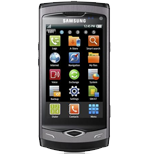
Samsung Wave II (GT-S8530) is supported on PhoneCopy.
Please note that following settings may vary a little depending on the firmware version.
Confirmed models
gt-s8530
gt-s8530: cm_wave/wave (wave2/wave)
gt-s8530: omni_wave/wave (wave2/wave)
gt-s8530b
samsung-gt-s8530
show all
Confirmed versions
s8530buka2s8530vfgka2
s8530buka2s8530vfgkf1
s8530aekc1s8530sfrkc1
s8530bujl1s8530vfgjl1
s8530xxjk9/s8530oxdjk8
s8530xxjk9/s8530oxbjj7
s8530xxjk9/s8530sunjj7
s8530xxjk9/s8530oxajk7
s8530xxjk9/s8530oxfjk3
s8530dxjk6/s8530olbjk4
s8530xejk6/s8530cisjk3
s8530xxkl6/s8530oxdkl2
s8530xxkk5/s8530oxakk5
s8530bvjk5/s8530orgjk5
s8530jpjk4/s8530ojpjk5
s8530jvjk4/s8530ojvjk4
s8530ddjk4/s8530oddjk4
s8530xejl4/s8530cisjl4
s8530bjjka4/s8530bpclka4
s8530bula4/s8530vfgla4
s8530xxkd4/s8530oxckd3
s8530xejl4/s8530cisjl2
s8530ddka4/s8530oddka1
s8530ddjk4/s8530oddkf1
s8530cxjk3/s8530plsjk4
s8530jvjl3/s8530ojvjl3
s8530xpkh3/s8530oxakh3
s8530pojl3/s8530xefjl3
s8530bwjl2/s8530o2ujk3
s8530xxjl2/s8530oxdjk8
s8530xxjl2/s8530oxajk7
s8530xxjk2/s8530oxxjj7
s8530xxjk2/s8530oxgjj7
s8530xxjl2/s8530oxfjk3
s8530nejk2/s8530drejk2
s8530agjk2/s8530bogjk2
s8530jvlc2/s8530ojvlc2
s8530jplc2/s8530ojplc2
s8530ddlc2/s8530oddlc2
s8530pmlb2/s8530prtlb2
s8530jvlc2/s8530oddlc2
s8530xpkh2/s8530oxakh2
s8530xxjk2/s8530oxajk1
s8530xelc2/s8530cislc1
s8530jvlc2/s8530cislg1
s8530ddkb2/s8530oddka1
s8530jpke2/s8530ojpkf1
s8530jplc2/pishtaz rom v2.0-s8530
s8530xxkf1/s8530oxdjk8
s8530xxke1/s8530oxakd7
s8530xxkf1/s8530oxakd7
s8530xxke1/s8530oxckd3
s8530xxkf1/s8530oxfjk3
s8530bold1/s8530crolk2
s8530pmjl1/s8530prtjl2
s8530xxlb1/s8530oxflb2
s8530xxla1/s8530oxfla2
s8530xxla1/s8530dbtla2
s8530jpka1/s8530ojpka1
s8530jvka1/s8530ojvka1
s8530pmlb1/s8530prtlb1
s8530rejl1/s8530yogjl1
s8530pmka1/s8530prtka1
s8530dxjl1/s8530olbjl1
s8530xxla1/s8530oxdla1
s8530xxjl1/s8530xfvka1
s8530xelf1/s8530cislg1
s8530jvke1/s8530ojvkd1
s8530bold1/s8530dtmld1
s8530ddkb1/s8530oddka1
s8530dxka1/s8530olbjl1
s8530ddjl1/s8530oddjl1
s8530jvla1/s8530ojvkd1
s8530aelb1/s8530sfrlb1
s8530xxla1/s8530sunla1
s8530ddka1/s8530oddjl1
s8530dxka1/s8530olbka1
s8530brka1/s8530eraka1
s8530dxkf1/s8530olbjl1
s8530bska1/s8530tmhka1
s8530jpkg1/s8530ojpkf1
s8530pokh1/s8530xefkh1
s8530xpkj1/s8530oxakj1
s8530ddka1/s8530oddka1
s8530xxla1/s8530oxala1
s8530xxlb1/s8530kpnlb1
s8530neka1/s8530dreka1
s8530anld1/s8530eplld1
s8530jpjl1/s8530ojpjl1
s8530jkkb1/s8530ptrkb1
s8530agkc1/s8530bogkc1
s8530cxka1/s8530plska1
s8530dxld1/s8530olbld1
s8530agka1/s8530bogka1
s8530dxkf1/s8530olbkf1
s8530bslc1/s8530tmhlc1
s8530bold1/s8530crolk1
s8530dxkb1/s8530olbkb1
s8530jvkd1/s8530ojvkd1
s8530ddkf1/s8530oddkf1
s8530xxkc1/s8530oxakc1
s8530xxjl1/s8530xfajl1
s8530reka1/s8530yogka1
s8530ddkl1/s8530oddkl1
s8530bold1/s8500crolk1
s8530anld1/ara-s8530
s8530nema1/b-w_ultimate_3.0.0
s8530xxjka/s8530oxcjk9
s8530xxjka/s8530xeujk8
s8530xxjka/s8530oxdjk8
s8530xxjka/s8530oxajk7
s8530xxjka/s8530oxfjk3
s8530xxjka/s8530oxxjl1
101.102
android 5.1.1 (rel) lyz28n (unknown/unknown)
android 5.1 (rel) lmy47d (unknown/unknown)
android 4.4.4 (rel) ktu84p (q6270b-kpubl-1.5.45082st/unknown)
android 4.4.4 (rel) ktu84p (unknown/unknown)
android 4.4.2 (rel) kot49h (unknown/unknown)
android 4.4.2 (rel) kvt49l (unknown/unknown)
android 4.3.1 (rel) jls36i (unknown/unknown)
android 4.2.2 (rel) jdq39e (unknown/unknown)
android 4.1.2 (rel) jzo54k (unknown/unknown)
show all
News
- 10/07/2020
- First user from Latvia just synced his contacts on Samsung Wave II (GT-S8530) phone.
- 02/06/2020
- We just got first user of this model in Slovakia! Someone just backed up his contacts.
Samsung Wave II (GT-S8530) users around the world
Samsung Wave II (GT-S8530) is often used by PhoneCopy users in countries like Slovakia (Slovensko) - 75.00%, Latvia (Latvija) - 25.00%.
On the map
The map shows usage of Samsung Wave II (GT-S8530) for contact backup with PhoneCopy around the world.
Text guideline - How to backup
With Samsung Wave II (GT-S8530)
First go to the phone's Main Menu and then follow these steps:
- Select Settings, then Connectivity.
- Click Synchronise and select Create.
- Configure given fields.
▼ hide fields
▶ show fields
- Profile name: write PhoneCopy
- Synchronization category: Select the items you would like to synchronize. All will synchronize all items.
- Contacts
- to remote contacts write contacts, the rest can be left blank.
- Plan
- to remote calendar write calendar, the rest can be left blank.
- Task
- to remote task write tasks, the rest can be left blank.
- Notes
- to remote notes write notes, the rest can be left blank.
- Synchronization type: select Full sync
- Synchronization server:
- Address
- write http://www.phonecopy.com/sync
- Login ID
- your_username
- Password
- your_password
- Save the data.
- Go to section Synchronise, click on the PhoneCopy profile and select Sync now.
If you need more help with the settings, visit our step by step screenshot guide.
And now please, assign your phone to your PhoneCopy account.
In the case of problems with synchronization, please contact us.