Sauvegarder contacts, calendrier et tâches depuis Motorola E680i
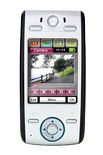
Available guides for synchronization to the secure cloud
Supported functions
- synchronisation des contacts
- synchronisation du calendrier
- synchronisation des tâches

Motorola E680i est pris en charge avec PhoneCopy. Veuillez noter que les paramètres suivants peuvent varier légèrement en fonction de la version du micrologiciel.
Guide textuel - Comment sauvegarder
Avec Motorola E680i
Guideline n'a pas encore été traduit dans votre langue.
| Profile name: | PhoneCopy |
|---|---|
| Host address: | http://www.phonecopy.com/sync |
| Port: | 80 |
| Login name: | username |
| Password: | Enter the password (allowed length is 5-50 characters) |
| Remote calendar database: | Calendar |
| Remote contact database: | Contacts |
| Remote note database: | Notes |
| Remote task/To-Do database: | Tasks |
| HTTP authentication | No |
| HTTP/Network username: | Do not enter |
| HTTP password: | Do not enter |
| Allow sync request: | Yes |
| Confirm sync request: | No |
| Internet connection: | Choose a connection, which you use for web browsing on your mobile phone (e.g. internet or GPRS etc.) |
When the above mentioned set up is done, start a sychronization.
Et maintenant, veuillez assigner votre téléphone à votre compte PhoneCopy.
En cas de problemes dans la synchonisation, veuillez nous contacter.
