Backup контакты, календарь, задачи and записки from Nokia 9300
Available guides for synchronization to the secure cloud
Supported functions
- contact synchronization
- calendar synchronization
- task synchronization
- note synchronization

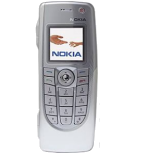
Nokia 9300 is supported on PhoneCopy. Please note that following settings may vary a little depending on the firmware version.
Confirmed models
Confirmed versions
Text guideline - How to backup
With Nokia 9300
Руководящего положения еще не было переведено на ваш язык.
First go to the phone's Main Menu and then follow these steps:
- Select Sync, then Settings.
- Configure given fields.
▼ hide fields
- Sync Profile Name: PhoneCopy
- Data bearer: Internet
- Access point: Select your operator's GPRS access point. We recommend using the "internet" data profiles if possible.
- Host address: write http://www.phonecopy.com/sync
- Port: write 80
- User name: your_username
- Password: your_password
- Allow sync request: Tick
- Auto-accept sync requests: Tick off
- Press Back and select Data.
- Select items you want to back up:
▼ hide contacts
- Click on DATA SETTINGS and then set up following:
- Remote database: contacts
- Synchronization type: normal
- Press: OK
▼ hide calendar- Click on DATA SETTINGS and then set up following:
- Remote database: calendar
- Synchronization type: normal
- Press: OK
Congratulations!
Now, you can start syncing with PhoneCopy and get your phone backed up!
Remember, you need to sync your phone first. On your phone, click PhoneCopy and Synchronize now.
And now please, assign your phone to your PhoneCopy account.
In the case of problems with synchronization, please contact us.
