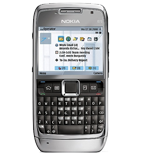
Backup Nokia E71 with PhoneCopy

Nokia E71 has been reported by PhoneCopy users as working. Please note that following settings may little vary depending on the firmware version.

Also visit our step by step screenshot guide

Nokia E71

Nokia E71 supports

  • contact synchronization
  • calendar synchronization
  • task synchronization
  • note synchronization
  • sms backup
  • sync via wifi
  • automatic sync

How to synchronize Nokia E71 with PhoneCopy

Руководящего положения еще не было переведено на ваш язык.

First go to the phone's Main Menu and then follow these steps:

  1. Select Tools, then Sync. Under Sync select Options and afterwards New sync profile.
  2. To Sync profile name fill in PhoneCopy.
  3. Select Connection settings and configure given fields
    ▶ show fields
  4. Press Back and select Applications.
  5. In case you experience trouble during the synchronization, you may try enabling only one remote database at a time with the Include in sync option. Now, select items you want to back up:
    ▶ show contacts
    ▶ show calendar
    ▶ show notes
    ▶ show sms
  6. Synchronize your phone anytime by selecting Menu, Tools, then Sync - PhoneCopy - Synchronise

If you need more help with the settings, visit our step by step screenshot guides.

And now please, assign your phone to your PhoneCopy account.

In the case of problems with synchronization, please contact us.

Комментарии пользователей

To leave a comment please sign in.

  • Hi. I'm trying to sync my E72 but it keeps saying this 'Feature not supported'. What's wrong?
    I've followed every step as given in your site.
    IMEI no. is 351513048888850.

    -sharadmun
    sharadmun, 28.04.13
  • I used this guideline but couldn't synchronize number to phonecopy profile. What can be the problem?
    The phone says that sync complete, but no phones can be found at my www.phonecopy.com profile.
    Need help.

    letitbenino, 03.04.13
  • I want to restore my all 530 deleted contacts inside the PhoneCopy website, Help before 30 days. ibrahimkh, 12.03.13
    • ok, i found it :) but it is not clear. good service, thank youuuuu <3 ibrahimkh, 12.03.13
      • Hi, we will try to manage it more clear. Phonecopy support team, 12.03.13
  • hi great site managed to move my contacts and notes to iphone 5 but sms and mms inc pics not syncing? ps help hotsta1, 28.02.13
    • The application for iPhone cannot synchronize SMS, because the Apple does not allow application access to them. Sorry Phonecopy support team, 01.03.13
      • thanks. Can any gurus offer any advice how else i can do this? thnx hotsta1, 01.03.13
  • I am not getting sync contacts to phonecopy server, not getting connected
    santosh2013, 20.02.13
  • how to backup in nokia e72, already samsung galaxy s2 contacts copied to phonecopy account
    неизвестный пользователь, 08.02.13
  • HI, I keep on getting "invalid username and password" after syncing. Hope you can help me. Thanks! frubok, 02.02.13
    • you changed the password in the phone at least eight times and never returned back. We will contact you via email to solve your issue. Phonecopy support team, 04.02.13
  • hi i could sync my contacts from Nokia E71 to I Phone 4S but unable to sync sms and notes help please thanks chauhanrps, 22.01.13
    • The application for iPhone cannot synchronize SMS and notes, because the Apple does not allow application access to them. Sorry. Phonecopy support team, 23.01.13
  • Hi, i have sync my E-71, my phonecopy account does not show any contacts. pls. help snehalsp, 03.01.13
    • Did you assigned it to your PhoneCopy.com profile? Phonecopy support team, 05.01.13
  • Hi. I'm trying to sync my E72 but it keeps saying this 'Feature not supported'. What's wrong? I'm working with my wifi. Thanks neyrapena, 26.12.12
  • Keep getting ''invalid user name and password'' error message even though I have triple checked!! mwai, 21.12.12
    • Hi, send us please support request include IMEI of your phone. We will solve it. mwai, 21.12.12
      • IMEI:- 354855028753399, Nokia E71 sanjaymaharjan, 15.01.13
  • I have successfully synchronised my contacts from E71 to phonecopy.com, but there are no contacts showing up on phonecopy.com. Nothing to sync with other phones. I have done this twice synchronising 1089 contacts. But nothing shows up here. Please help. khurramhumayon, 19.12.12
    • Hi, did you assigned your Nokia to PhoneCopy.com account? We request to confirm association for security reasons. Phonecopy support team, 20.12.12
  • I tried transferring my contacts from Nokia E71 to iphone4. I've done the sync on my ipad3, iphone & laptop(Acer) but it seems like it only transferred the contacts from my facebook contacts to my iphone & ipad & not my contacts from my E71. Not sure what went wrong, please help me, Tnx! bharotee1, 23.11.12
  • tell idea how to do i am siva from tamilnadu
    sivacopy2005, 17.11.12
  • Synced E71 contacts to PhoneCopy said 584 contacts were syned but no contacts showing in my PhoneCopy contacts. Any info will be greatly received . Kind Regards Andrew tubehunter66, 14.11.12
    • Hi Andrew, you forgot to assign your phone to PhoneCopy account. We corrected it for you and now it seems to be working Phonecopy support team, 14.11.12
      • Fantastic going Phonecopy team simply the best. A Millon Cheers tubehunter66, 14.11.12
  • Went through the process of setting my E71 but it says Phonecopy. not defined. Can you help.
    Kind regards Andrew
    tubehunter66, 14.11.12
  • my phonebook backup is in my mial id, how can i get that file in the phonecopy system? raghumira, 05.11.12
    • Which file you mean? Can you explain little more? Phonecopy support team, 05.11.12
  • my phonebook deleted permenetly, how can i get my phonebook? raghumira, 05.11.12
    • Sorry but permanent means permanent and from privacy reasons there is not possibility to get it back. Phonecopy support team, 05.11.12
  • I installed PhoneCopy on my wife's Android phone, sync'ed contacts & SMSes successfully. She wants to move back to her old Nokia phone, so I set up the Nokia E71 as instructed and did a Sync. It seemed to go through successfully, but it only sync'ed one way (from the phone to PhoneCopy.com) although I'd set it for both ways. So, I specifically set it to do a copy to the phone and also added the device to my PhoneCopy account. I was asked to assign it using an IMEI number and I did that too. Now, when I try to sync the contacts from website to the phone, I keep getting a username/password error, although I've checked and double-checked several times. Please help! неизвестный пользователь, 04.11.12
    • Hi, we will solve this issue from privacy reasons directly via our support. Phonecopy support team, 05.11.12
  • Hi, I succesfully syncronised my contacts from Mac as well as from my E72 to the server, but I cannot download the contacts from my cell phone to my Mac, what should I do? I think I put only one direction of sync on PhoneCopy and now I don't know how to change it to both directions. Thank you so much for your help. tessahx, 13.10.12
    • I actually figured it out just now, so it's ok. Thank you very much for this awesome way how to backup our contacts ! tessahx, 13.10.12
  • i syncronised my nokia with iphone. than i deleted from iphone and now are deleted from phonecopy and nokia.
    is there any chance to recover deleted contacts from phonecopy...???
    kmici, 20.09.12
  • no email addressed were uploaded to server. IT WOULD BE WONDERFUL if one could upload a file of vcards or csv from a desktop file which would insure they are up to date. shermanb, 17.09.12
    • Hi, email addresses upload will solve directly with you from our support team. Regarding to you request i recommend you to user PhoneCopy for Windows which use vCard as one of basic format for uploading contacts to server. Phonecopy support team, 17.09.12
  • i am not doing through the network provider i have inserted my sim card in my iphone and now want to sync mynE71 trough my wi-fi connection, is it fine or i need to insert the sim card in E71 and do the sync through the service provider itself
    vinaydara, 03.09.12
    • Hi, wi-fi is fine. I tested it pesonally with E71 and works well. Phonecopy support team, 03.09.12
  • after completing the all setting as per the screen shot, the message in the nokia E71 is " Some application settings are compulsory and must be defined. Exit anyway vinaydara, 03.09.12
  • hai, I have synced myiphone cntacts to phonecopy.com n I want them in E71 ....i followed all the steps but dont know why it just shown invalid user name or password. i already double check both. So please reply ... ammukuttan, 20.08.12
    • i made it for you. The check sum of password in the phone was different than in your PhoneCopy.com profile. Phonecopy support team, 21.08.12
  • how i can access to deleted contact in this site? mhp370, 16.08.12
    • Press Deleted Contacts button on Contacts page of PhoneCopy.com Phonecopy support team, 16.08.12
      • i removed contact from deleted Contacts,How i can restore ?
        plz help
        mhp370, 16.08.12
        • When you made Permanent Delete it means Permanent Delete and there is not way to get it back from privacy reasons. Sorry. Phonecopy support team, 16.08.12
  • Hi, Thanks for helping me transfer contacts from my nokia e71 to iphone 4. Is it also possible to transfer the text msgs, notes and calendar entries that are currently still on my nokia? akshay.kmr, 07.08.12
    • Hi, calendar events can be synchronized by our PCalendars App.
      The application for iPhone cannot synchronize SMS and notes, because the Apple does not allow application access to them. Sorry
      Phonecopy support team, 08.08.12
  • Hi, I've just sync my Nokia E72 but the calendar entries (I only have birthdays here) are shifted one day earlier. I've checked the time zone and it is set correctly: GMT +1 (BElgrade)... Can anyone help me? Thanks, Milos shomy85, 28.07.12
    • Hi, I have checked synchronization logs. Your phone reports a whole day on 2.1.2012 event with start and end time at 20120101T220000Z. We plan to create a translator for your phone and build it into some newer version. I suppose that setting UTC timezone in phone could temporarily solve the problem, but it will also influence other application in the phone. Thank you for reporting a problem. неизвестный пользователь, 31.07.12
      • Thank you for your help, this resolved my issue. The steps were following:
        1. Remove all birthdays (all day events from the calendar). This was easy since I use BBirthday app to add birthdays because Symbian can't do it.
        2. Change time zone to UTC. Since in Symbian you can't choose timezone but only choose country I selected the one that is always in UTC timezone i.e. Iceland. Note that UK, Ireland, Portugal and others are GMT+1 during the summer...
        3. Turn off automatic time update and set the time manually
        4. Add all birthdays to calendar again and perform sync.

        Regards,
        Milos
        shomy85, 31.07.12
  • hi i follow all the steps & synchronise also showing done but when open phone copy site cant find my contacts list. pls advice. amis, 25.07.12
    • you forgot to do last step. you didn't assigned your phone to your PhoneCopy profile. i made it for you. Phonecopy support team, 26.07.12
  • how do i transfer my contacts from phonebook to E72
    atmesh, 20.07.12
    • Hi, from which "phonebook" you mean? Phonecopy support team, 22.07.12
  • I have cross checked all the settings but I am unable to syns. It just says unable to open server pgargya, 13.07.12
  • hai, i follow all the steps but dont know why it just shown invalid user name or password. i already double check both.
    ivankoh, 23.06.12
    • In such as case there should be mistyped password but anyway of course we can help. Just fill support form include IMEI of your phone and we will manage it. Phonecopy support team, 24.06.12
  • E71 contacts info includes email address, job description, assistants' name and phone number, etc. how do i include those information in phonecopy?
    cecille, 30.04.12
    • Hi, for unknown reason, some Nokia phones send emails only if they have some type specified, generic email addresses are not ever sent. I can see several emails in your log. Job description is probably displayed as "Title" in "Name" section in contact edit page. Assistant's name and number are proprietary fields sent by Nokia phone and we do not currently store them. Phonecopy support team, 03.05.12
  • some contact numbers not coming in E71 but its coming in my iPhone :( shameeryou, 24.04.12
  • E71 calander and notes are on phonecopy server but iphone 4 sync only brought contacts over how do i get the calander and notes thanks
    matheson, 18.04.12
    • Hi, fo calendar you need App PCalendar by PhoneCopy. The application for iPhone cannot synchronize notes, because the Apple does not allow application access to them. Phonecopy support team, 18.04.12
  • Thank you, I could transfer my contacts from E71 to iPhone successfully. Is this really free! I was thinking at some stage I would be advised to pay some fee, but I haven't come across so far. Thanks again. Regards thiruvelan, 13.04.12
    • plz help me.. where is the option of tranferring contacts.. from one phone to other....??? plz help aparana, 31.07.12
      • It depends which phones you have. I recommend you to choose it on www.Howtotransfercontact.com nithya7011, 31.07.12
        • Please make it plural. it is www.howtotransfercontacts.com
          Yes, it is indeed very helpful.
          thiruvelan, 03.08.12
  • Hi,
    I have a problem with the settings in PhoneCopy which now causes problems when I sync back to a new device:
    During the first "to server" sync, I had not set the timezone correctly in the PhoneCopy "settings". Now that I have set the time zone correctly, I experience that all calendar entries are incorrect.
    How do I fix this`?
    nomennescio, 08.04.12
    • We will solve it individually via support mail as it needs deeper analysis. Phonecopy support team, 12.04.12
  • The first sync was successful. All later sync attempts result in the Nokia sync app to stop immediately and complain that it is unable to open the database. Any idea what can be wrong? nomennescio, 28.03.12
    • Hi, i recommend you to check your settings with our step by step guide: https://www.phonecopy.com/en/pages/how_to_backup_contacts_from_your_nokia Phonecopy support team, 29.03.12
      • Hi,
        I deleted the sync profile and started over. It failed on me again. I then tried one 'application' at a time, first Contacts, then calendar, then notes, and all was fine. When I tried to enable SMS to server, it failed and said 'server error!'.
        nomennescio, 29.03.12
        • Responded via email. Phonecopy support team, 31.03.12
  • Hi, I am new to Mac & PhoneCopy. I have synchronised my contacts from my Nokia E71, however their email addresses have not been synchronised. How do I achieve this? jenni_womble, 28.03.12
    • Hi, for some reason, some Nokia models do not send email addresses without a type. Try to add type to some email address (home/work) and try to sync. Phonecopy support team, 31.03.12
  • Hi! Many thanks for the service it's very useful! I have a problem importing my old sms to my iphone. I have managed to upload them all to phonecopy from my Nokia x6 but there doesn't seem to be an option to move them to the iphone, and the simple "synchronize" key did not import them. It was only the contacts that worked so far. Is there a way to get them to the iphone? arch.shahd, 16.03.12
    • The application for iPhone cannot synchronize SMS, because the Apple does not allow application access to them. Sorry. Phonecopy support team, 16.03.12
      • thanks for the reply! :) arch.shahd, 16.03.12
  • Hi,
    I'm a first time user of this service and so fat it looks great.
    A few questions though:
    It seems the sync only reads the first two lines of notes tied to the contact?
    Also, the field names (manually labelled stuff, such as 'car phone') is lost?
    Brgds
    nomennescio, 06.03.12
    • Hi, there is no limit for notes written to contact. But it can be problem of specific phone firmware. I recommend you to contact our support via support form include IMEI and explain them which contact has this problem.
      Yes in some cases we are not able to synchronize customized labels but we do best to improve it in case we discover it.
      Phonecopy support team, 07.03.12
  • E- mails are not synced to my i- pad..... Even notes from e71 have been synced, but emails have not been... Is it possible to fix it somehow? iamalex2003, 22.02.12
    • We checked it and it seems that email addresses to contacts have been synced. Please contact us with an example with "contact us" field (in the page footer). неизвестный пользователь, 24.02.12
      • You see the matter is that it syncs only if e_mail in my E71 is in field "personal". And all my contacts in e 71 have "work" or another mail... iamalex2003, 24.02.12
  • Why can't sync SMS? Every other thing works sonyina, 29.01.12
    • Hi, i found you have SMS synchronized as well. It looks you managed it by yourself. sonyina, 29.01.12
  • Hi, thans for the wonderful application. i just downloaded the app and it seems to sync up my address book entries between my Nokia e72 and my address book on mac. but it is not syncing up with my ical entries or my outlook calender. I am not sure if am missing something. kmr.dilip, 09.01.12
    • Hi, iCal and outlook calender will be launched later. Phonecopy support team, 09.01.12
      • Thanks for the response. since i downloaded the app for syncing my calendar entries only, that is something quite important for me. when will you guys be launching this feature? kmr.dilip, 10.01.12
        • IPhone Calendar is almost launched a will be release on App Store. Then we will go to upgrade PhoneCopy for MAC with iCal support as well. carlitobrigante, 10.01.12
  • Hi ,,, many thanks for providing this service!

    I amusing a Nokia N8-00 and have successfully synchronised Contacts, but I Have no entries in Calendar or Notes on the PhoneCopy website. The Synchronise operation (Settings | Connectivity | Data transfer | Sync) shows that Contacts, Calendar and Notes are all sucessfully sync-ed, but only Contacts have appeared on PhoneCopy.

    I have ~600 contacts, ~6000 Calendar entries, and only a few Notes.

    Any ideas why Calendar and Notes are not sync-ing?

    Thanks in advance,
    Simon.
    неизвестный пользователь, 28.12.11
    • Hi, we will solve it via email as there is several private information in our answer which are not for public discussions. неизвестный пользователь, 28.12.11
  • How to restore deleted contacts & from phonecopy to my N73 phone maitri_vilas, 22.12.11
    • i lost my contacts too...from here and from mobile too.... asahib, 14.01.12
      • Press "Deleted Contacts" button on Contacts page and you will find all deleted contacts there. You can restore it and on next sync you will get it back to your phone. Phonecopy support team, 14.01.12
        • thx a lot asahib, 15.01.12
    • Go to www.phonecopy.com and on Contacts page you will find "Deleted Contacts" button. There you can restore any deleted contacts and on next sync you will get it back to your phone. Phonecopy support team, 23.12.11
  • i also have the problem that my mails are not transfered from my nokia e71 (version 210.21.006 02-03-2009 RM-407) nokia e71-3 (335.03)

    please assist me
    gilb202, 15.12.11
    • Hi,
      email is better to download directly from your mail account. We didn't tested email synchronization as your emails can change very often everytime when you connect your mail server.
      Phonecopy support team, 16.12.11
  • how to copy all my contacts fron web to my mobile nokia E71 vicky, 05.12.11
  • Hi I have a Nokia E5, writing here as couldnt find an E5 discussion board. I had successfully done a sync of my phone date and the same are showing on my Phonecopy profile. I had to format my phone and after formatting when I tried to sync it shows sync complete yet none of the data is transferred back to my phone. It syncs only for a few seconds and says complete. Please help. Thanks alwaysready, 22.11.11
    • Now my profile is showing that all the data is deleted :( alwaysready, 22.11.11
  • want to say thanks from heart after watching all my sms, contacts is backedup more than a year.
    take care.
    dux, 01.11.11
    • appreciate your comment Phonecopy support team, 01.11.11
  • i have no problem.just want to say thanks for making this service and making it free of charge. jackrichar, 11.10.11
  • hi... Ok i followed all the instructions to back up from my nokia e66 to the server and it was succesful, now i want to save the newly backed up data from the server to my new nokia e71. What do i do? ditrox, 29.07.11
    • Hi, just go to settings > device assignment and add your E71 to your profile. On next synchronization you will have both phones in your PhoneCopy.com profile and will synchronize all data between them. Phonecopy support team, 30.07.11
  • Copying contacts from PHonecopy database to Nokia C3
    bhaskar, 16.07.11
  • Can I sync data in the web database INTO a Nokia? The data was sent from an iPod gblitzer, 26.06.11
  • It is not working. Please help. shaileshdav, 13.05.11
  • I am getting error -- Unable to open database and System error. How to sync with Nokia E-72-1 ?? iTS DONE WORKING shaileshdav, 13.05.11
    • If you still have problems, feel free to contact us using form at
      http://www.phonecopy.com/en/feedback/
      and provide us your phone IMEI number and login.
      Phonecopy support team, 18.05.11
    • Hi, do not check data types which are not supported by Phonecopy. Only contacts, calendar, notes and SMS are supported. Phonecopy support team, 18.05.11
  • how can i sync contacts including multiple phone numbers from www.ovi.com to www.phonecopy.com?
    i tried to sync contacts including multiple phone numbers from my Nokia E72-1 to www.phonecopy.com, but it said, ''system error'', however when i checked my account in www.phoncopy.com later, i found all my 275 contacts, but without multiple phone numbers, now all my 275 contacts with more than 400+ contacts are saved securely in my www.ovi.com account, so i really need to know, please help me...

    thanks in advance...
    sunny_huq, 30.03.11
  • found out how by accident - you are missing a step in your instructions - sit down with an iphone and a nokia and you will see that your instructions do not work . hbyrne, 21.03.11
    • Hello, in which step the instructions are incomplete? Phonecopy support team, 28.03.11
  • I can see the list of my nokia contacts on the phonecopy site but where is the link to send them to the iphone or vice versa? what else does this site do ? it seems useless! hbyrne, 21.03.11
  • I have followed all instructions successfully: please tell me EXACTLY how i import the nokia numbers - the phonecopy website is very clear with instructions about how to prepare the 2 phones but then stop abruptly before explaining that last step! hbyrne, 21.03.11
  • how can i transfer my n8 sms to iphone? I cant find an option!! maheshkk, 21.03.11
    • Hi, you can transfer only Contacts. SMS can't be transferred because of two reasons. 1. Apple doesn't open API interface to access SMS from an application. 2. Generaly SMS can't be uploaded back to any phone because of technical and legal reason (fake SMS etc.). Phonecopy support team, 21.03.11
  • i have sync with phone copy . now i had to format the phone. but now i cant dwnload the contacts from the server onto the phone .using an e72 don33333, 14.03.11
    • I can see data were sent to your phone few moments after this post. Is your problem still actual? Phonecopy support team, 28.03.11
  • Can't sync my E71 i always have : Invalid user name or password from my phone
    i reverified and changed 30000 times. Always the same error.....
    arsy, 13.03.11
    • When syncing for the first time, an account for your phone is created with the password you used for the first time (we allow to have username & password different from web account). If you changed password in phone, you will get this error. Get back to old password in phone and associate your phone using this password. If you do not remember your old password, use new username in phone (new device account will be created), sync and associate it with your former web account. Phonecopy support team, 16.03.11
  • what is the Remote database for SMS (Text Message) in Nokia E71.

    For example for contacts the remote database is :

    ./Contact/Unfiled
    gauravgds, 18.02.11
  • I thought I had uploaded my contacts from phone to phone copy. 312 contacts showed on phone copy. However for 205 only the names had transferred - no numbers. I deleted all those with no number from phone copy and resynched over wifi rather than 3G but no updates were recorded (although sync is registered on both phone and phone copy). So I am still 205 contacts short. How can I proceed? nigelmukherjee, 16.02.11
    • I checked this and your phone sends only names without phone numbers in majority of contacts. So this seems to be a phone bug. If you still have all contacts in phone, delete phone at settings page
      http://www.phonecopy.com/en/resources/ by clicking on it, sync again and associate again at
      http://www.phonecopy.com/en/devices/assign
      During the next sync all contacts should be resent. If problem persist, we would like to know if there is some diference between "bad" and "good" contact, phone type, preferred number or so. Feel free to use contact form in the bottom of the page.
      Phonecopy support team, 21.02.11
  • I have a Mac, an ipod & a nokia E71.
    the primary data is on the Nokia,
    i was able to install (Configure encase of Nokia) the software & all 3 show that the sync was successful.
    However the data from the nokia never appeared on the webprofile after 2-3 successful syncs!

    also the Last synchronization of data with PhoneCopy only detected teh Mac & the ipod.. !
    any idea how to fix this? (the data on the nokia was not changed however all contacts from the mac were deleted.)
    bhasin.gagan, 04.02.11
  • hi
    I am trying to synchronise with n79, but after Server version, I am getting a field Apps in sync i/o Server ID: leave blank
    Data bearer: Internet
    Access point: Select your operator's GPRS access point. We recommend using the "internet" data profiles if possible.........pls. advise
    anitin1962, 29.01.11
    • Hi, i just sent you N79 screenshots and we will prepare screenshot instructions soon. Phonecopy support team, 29.01.11
  • I cannot start sync. It comes up with an error message ' Server not resonding' dpieterse, 20.01.11
    • Do you have internet connection set up properly? Phonecopy support team, 01.02.11
  • hi, i no longer have connection on my e71, but have all my contacts stored on Nokia PC suite. Can i still transfer my contacts to my iphone 4? rkorkor, 19.01.11
    • There is currently no way how to transfer contacts from Nokia suite to Phonecopy. Phonecopy support team, 01.02.11
  • E-mail adresses, home adresses etc are not synced. These are also important.
    Is this intentional, a limit of nokia sync or just an idea for the next update?
    rhorick, 26.12.10
    • Hi, can you fill this issue to support form? Usually it works but it can be problem of your phone firmware. Then our technical support team will communicate it directly with you by mail. Phonecopy support team, 27.12.10
    • i have a nokia e71-1(01); rm-346; 110.07/127; 09-10-2008 rhorick, 26.12.10
  • I cannot sync my E72 to your database. It gives an error "server not responding". I need to upload all my contacts to here so I can transfer it to my IPhone. Please advise.. raanz, 16.11.10
  • I can't get the syn started.. pop up with a message "unable to open database".. can someone help me? yeeyew, 22.10.10
    • Soon, we will release new version of server software which brings (among all) several compatibility fixes with buggy new Nokia phones. Phonecopy support team, 04.11.10
  • I cant synchronise sms, can anyone help, please? nanowal, 20.10.10
    • In which direction? Nokia phones only allow sending and deleting SMSes, not receiving or restoring. Phonecopy support team, 04.11.10
  • can i copy back contact to e71 from iphone.. i have two phones.. want to sync together shameer, 20.10.10
  • Congratulations for your smart idea. I have Nokia E72 (why not listed here?) and in one week I will have an iPhone 4. I've already uploaded contacts to your server and I hope to easily doenload them in the iPhone when it will arrive! But I want to report a problem: while in my Nokia's "edit sync profile" I have chosen "both way synchronisation" I see that I can only UPLOAD contacts to the server. When I add a new contact in your site, for example "test", this new contact doesn't appear in my phone.. Something's wrong? Thanks! cverros, 10.09.10
    • Everything should be all right now. Your Nokia should receive contacts from server. Phonecopy support team, 04.11.10
advertisement