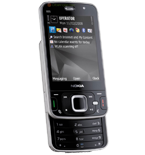
Backup контакты, календарь, задачи, записки, sms messages and call logs from Nokia N96
Available guides for synchronization to the secure cloud
Supported functions
- contact synchronization
- calendar synchronization
- task synchronization
- note synchronization
- sms backup
- call log backup

Nokia N96 is supported on PhoneCopy. Please note that following settings may vary a little depending on the firmware version.
Confirmed models
News
- 09.09.2021
- We just got first user of Nokia N96 in Slovakia! Someone just backed up his контакты from a new phone.
Nokia N96 users around the world
According to our statistics, PhoneCopy users use Nokia N96 for data backup in countries Slovakia (Slovensko) - 100.00%.
On the map
Histogram depicts Nokia N96 backup with PhoneCopy around the world.
Text guideline - How to backup
With Nokia N96
First go to the phone's Main Menu and then follow these steps:
- Select Ctrl. panel and Phone, then Sync.
- Click Option and select New sync profile.
- Click Start and in Profile name write PhoneCopy, then as Server version select 1.2.
- Tick the items you want to back up, then press Next. According to your choice, further information will be requested:
▼ hide contacts
- Contact database: contacts
▼ hide calendar- Calendar database: calendar
▼ hide notes- Notes database: notes
▼ hide sms- Test messages database: sms
- Then configure given fields.
▼ hide fields
- Data bearer: Internet
- Host address: write http://www.phonecopy.com/sync
- Server ID: leave blank
- User name: your_username
- Password: your_password
- You will be asked, if you want to activate the profile. Choose Yes.
Congratulations!
Now, you can start syncing with PhoneCopy and get your phone backed up!
Remember, you need to sync your phone first. On your phone, in section Sync, click Options and select Synchronize.
If you need more help with the settings, visit our step by step screenshot guide.
And now please, assign your phone to your PhoneCopy account.
In the case of problems with synchronization, please contact us.
