Backup контакты, календарь, задачи and записки from Sony Ericsson W810i
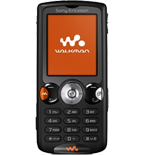
Available guides for synchronization to the secure cloud
Supported functions
- contact synchronization
- calendar synchronization
- task synchronization
- note synchronization
- automatic sync

Sony Ericsson W810i is supported on PhoneCopy. Please note that following settings may vary a little depending on the firmware version.
Confirmed models
News
Sony Ericsson W810i users around the world
Sony Ericsson W810i is often used by PhoneCopy users in countries like Turkey (Türkiye) - 97.56%, Greece (Hellas, Ελλάς, Ellada, Ελλάδα) - 2.44%.
On the map
Histogram depicts Sony Ericsson W810i backup with PhoneCopy around the world.
Text guideline - How to backup
With Sony Ericsson W810i
Руководящего положения еще не было переведено на ваш язык.
- Choose Tools.
- Choose Remote sync.
- Choose New profile and configure given fields.
▼ hide fields
- Profile name: Write PhoneCopy
- Server address: Write http://www.phonecopy.com/sync
- Username: your_username
- Password: your_password
- Internet account: Choose profile internet/wap, wia which you want going to connect to Phonecopy.
- Use transport login: Leave unchecked
- Press Save.
- Mark the items you want to synchronise and configure given fields.
▼ hide fields
- Calendar/Tasks:
- Sync type
- Choose type of synchronisation (usually Synchronize).
- Task name
- You can select your own name of this item of synchronisation.
- Server database
- Write calendar
- Contacts:
- Sync type
- Choose type of synchronisation (usually Synchronize).
- Task name
- You can choose your own label for this sync item.
- Server database
- Write contacts
- Notes:
- Sync type
- Choose type of synchronisation (usually Synchronize).
- Task name
- You can choose your own label for this sync item.
- Server database
- Write notes
- Calendar/Tasks:
And now please, assign your phone to your PhoneCopy account.
In the case of problems with synchronization, please contact us.
