Kontakte, Kalender, Fotos und Videos sichern: Energizer Hardcase H280s
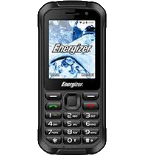
Verfügbare Anleitungen für die Synchronisierung mit der sicheren Cloud
Unterstützte Funktionen
- Kontakt-Synchronisation
- Kalender-Synchronisation
- Foto-Synchronisierung
- Video-Synchronisation
- automatisch synchronisieren


Übertragen Sie Ihre Kontakte, Kalender, Fotos und Videos von Energizer Hardcase H280s in einen Online-Speicher und zurück, um sie sicher und aktuell zu halten.
Energizer Hardcase H280s wird von PhoneCopy unterstützt.
Bitte beachten Sie, dass die folgenden Einstellungen je nach Firmware-Version leicht variieren können.
Bestätigte Modelle
Bestätigte Versionen
News
- 14.10.24
- Kürzlich haben wir auch in Niederlande einen neuen Benutzer von Energizer Hardcase H280s bekommen. Er nutzt PhoneCopy zur Sicherung von Kontakte und Medien.
- 08.07.24
- Wir haben gerade den ersten Benutzer von Energizer Hardcase H280s in Vereinigte Staaten bekommen! Jemand hat gerade seine Medien von einem neuen Telefon gesichert.
- 04.07.24
- Kürzlich haben wir auch in Pakistan einen neuen Benutzer von Energizer Hardcase H280s bekommen. Er nutzt PhoneCopy zur Sicherung von Kontakte und Medien.
- 01.07.24
- Ein Benutzer aus Südafrika hat seine Kontakte und Medien mit seinem Telefon synchronisiert.
- 02.05.23
- Sogar in Griechenland haben wir einen Benutzer mit einem Energizer Hardcase H280s-Telefon. Er sichert seine Kontakte.
KaiOS-Versionen auf Energizer Hardcase H280s
Die PhoneCopy-App für KaiOS unterstützt verschiedene KaiOS-Versionen. Unsere Benutzer haben ihr Energizer Hardcase H280s mit KaiOS 2.5.3.2 (92.86%), KaiOS 2.5.1.1 (7.14%) synchronisiert.
Das folgende Kreisdiagramm zeigt den Anteil der KaiOS-Versionen auf Energizer Hardcase H280s bei der Synchronisierung mit PhoneCopy.
Energizer Hardcase H280s Nutzer auf der ganzen Welt
Laut unseren Statistiken verwenden PhoneCopy-Benutzer Energizer Hardcase H280s für die Datensicherung in Ländern Südafrika (Suid-Afrika, iNingizimu Afrika, uMzantsi Afrika, Afrika-Borwa, Afrika Borwa, Aforika Borwa, Afurika Tshipembe, Afrika Dzonga, iSewula Afrika) - 36.36%, Belgien (België, Belgique, Belgien) - 20.45%, Rumänien (România) - 15.91%, Niederlande (Nederland, Nederlân) - 6.82%, Pakistan (Pākistān, پاکستان) - 4.55%, Nepal (Nepāl, नेपाल) - 4.55%, Ungarn (Magyarország) - 2.27%, Tschechien (Czech Republic, Česká republika) - 2.27%, Vereinigte Staaten (Estados Unidos, États-Unis, ‘Amelika Hui Pū ‘ia) - 2.27%, Griechenland (Hellas, Ελλάς, Ellada, Ελλάδα) - 2.27%, Bulgarien (Bulgariya, Bălgarija, България) - 2.27%.
Die folgende Heatmap zeigt den Anteil der Benutzer weltweit, die ihr Energizer Hardcase H280s mit PhoneCopy synchronisieren.
Textanleitung - So sichern Sie Ihre Daten
Von Energizer Hardcase H280s
- Download our PhoneCopy for KaiOS from application KaiOS Marketplace to your mobile device.
- After launching the application, create a new account from the application. If you have already created an account on web pages www.phonecopy.com, log in to this existing account in the application.
- After succesful login press "Synchronize" for complete synchronization, you can choose "This device >> Server" for one-way sync.
If you need more help with the settings, visit our step by step screenshot guide: How to synchronize contacts to phone with KaiOS
If you need more help with the settings, visit our step by step screenshot guide: How to backup contacts from phone with Kai OS
Bei Problemen mit der Synchronisierung, bitte kontaktieren Sie uns.
Zu Energizer Hardcase H280s
- Download our PhoneCopy for KaiOS from application KaiOS Marketplace to your mobile device.
- After launching the application, log in to this existing account in the application.
- After succesful login press "Synchronize" for complete synchronization, you can choose "Server >> This device" for one-way sync.
If you need more help with the settings, visit our step by step screenshot guide: How to synchronize contacts to phone with KaiOS
If you need more help with the settings, visit our step by step screenshot guide: How to backup contacts from phone with Kai OS
Bei Problemen mit der Synchronisierung, bitte kontaktieren Sie uns.
Benutzer Kommentare
Um einen Kommentar zu hinterlassen, melden Sie sich an.
-
-
If you will find similar settings like in our guide, it will work.
https://www.phonecopy.com/en/phones/view/samsung_xcover_271_%28gt-b2710%29?referrer=Samsung#text-guideline-
Thank you for your suggestion. I do not own the cell phone today, I am looking for a new one. One important criterium for me is whether you support it.
So, alas, I cannot check...
What about the NOKIA 5710 XpressAudio? Is this in planing or...? The N5700 with & w/o Xpressmusic is supported.
Beafone and Swisstone are off your radar, are they?
Thank you for your patience.
-
Everytime you can check list of our supported phoned https://www.phonecopy.com/en/phones/
-
-
-

Dou you also support Samsung B2710?
I have no idea what might be the difference between the two.
Thank you. nachtkrabb, 28.02.23