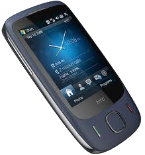
Kontakte sichern: HTC Touch 3G
Verfügbare Anleitungen für die Synchronisierung mit der sicheren Cloud
Unterstützte Funktionen
- Kontakt-Synchronisation
- automatisch synchronisieren

Übertragen Sie Ihre Kontakte von HTC Touch 3G in einen Online-Speicher und zurück, um sie sicher und aktuell zu halten.
HTC Touch 3G wird von PhoneCopy unterstützt.
Bitte beachten Sie, dass die folgenden Einstellungen je nach Firmware-Version leicht variieren können.
Textanleitung - So sichern Sie Ihre Daten
Mit HTC Touch 3G
Die Richtlinie ist noch nicht in Ihre Sprache übersetzt worden.
- Press Start - Programs - ActiveSync.
- Vyberte Menu - Add server source.
- Fill www.phonecopy.com into Server address.
- Leave This server requires an encrypted (SSL) connection checked.
- Press Next.
- Fill in your account details.
▼ hide fields
- Username: your_username
- Password: your_password
- Domain: phonecopy.com
- Press Next.
- Select the data to be synchronized:
▼ hide fields
- Contacts: yes
- Calendar: no
- Emails: no
- Tasks: no
- Pres Finish.
- Pressing Sync will perform a synchronization of your data with PhoneCopy.
- You can start future synchronizations by pressing Start - Programs - ActiveSync - Sync.
Notice: you do not need to assign the device via IMEI for Windows devices. Device assignment is automatic.
Bei Problemen mit der Synchronisierung, bitte kontaktieren Sie uns.
