Kontakte, Fotos, Videos, SMS-Nachrichten und Anrufprotokolle sichern: Huawei Mate 10 (ALP-L29)
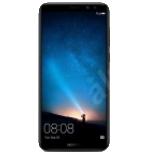
Verfügbare Anleitungen für die Synchronisierung mit der sicheren Cloud
Unterstützte Funktionen
- Kontakt-Synchronisation
- sms-Sicherung
- Sicherung des Anrufprotokolls
- Foto-Synchronisierung
- Video-Synchronisation
- automatisch synchronisieren


Übertragen Sie Ihre Kontakte, Fotos, Videos, SMS-Nachrichten und Anrufprotokolle von Huawei Mate 10 (ALP-L29) in einen Online-Speicher und zurück, um sie sicher und aktuell zu halten.
Huawei Mate 10 (ALP-L29) wird von PhoneCopy unterstützt.
Bitte beachten Sie, dass die folgenden Einstellungen je nach Firmware-Version leicht variieren können.
Bestätigte Modelle
Bestätigte Versionen
- Android 10
- Android 9.0 Pie
- Android 8.0 Oreo
News
- 29.12.22
- Die PhoneCopy-App wird auf Huawei Mate 10 (ALP-L29) mit dem Betriebssystem Android und Huawei Mobile Services vollständig unterstützt.
- 28.12.22
- Ein neuer Telefonbenutzer hat seine Kontakte und SMS-Nachrichten von Philippinen aus mit PhoneCopy synchronisiert.
- 28.11.21
- Der erste Benutzer aus Vereinigte Staaten hat gerade seine Kontakte auf seinem Huawei Mate 10 (ALP-L29)-Telefon synchronisiert.
- 09.10.21
- Jemand hat PhoneCopy zur Sicherung dieses Telefonmodells in Vereinigte Arabische Emirate verwendet. Seine Kontakte wurden übertragen.
Android-Versionen auf Huawei Mate 10 (ALP-L29)
Die PhoneCopy-App für Android unterstützt verschiedene Android-Versionen. Unsere Benutzer haben ihr Huawei Mate 10 (ALP-L29) mit Android 8.0 Oreo (48.72%), Android 10 (43.59%), Android 9.0 Pie (7.69%) synchronisiert.
Das Diagramm zeigt die Huawei Mate 10 (ALP-L29)-Sicherung mit PhoneCopy unter verschiedenen Android-Versionen.
Huawei Mate 10 (ALP-L29) Nutzer auf der ganzen Welt
Huawei Mate 10 (ALP-L29) wird für die Kontaktsicherung von PhoneCopy-Benutzern in mehreren Ländern auf der ganzen Welt bevorzugt - Vereinigte Arabische Emirate (Al-’Imārat Al-‘Arabiyyah Al-Muttaḥidah, الإمارات العربيّة المتّحدة) - 75.00%, Philippinen (Pilipinas) - 16.67%, Vereinigte Staaten (Estados Unidos, États-Unis, ‘Amelika Hui Pū ‘ia) - 8.33%.
Das Histogramm zeigt die Huawei Mate 10 (ALP-L29)-Sicherung mit PhoneCopy weltweit.
Textanleitung - So sichern Sie Ihre Daten
Von Huawei Mate 10 (ALP-L29)
- Download our PhoneCopy for Huawei application to your mobile device.
- After launching the application, create a new account from the application. If you have already created an account on web pages www.phonecopy.com, log in to this existing account in the application.
- After succesful login press "Synchronize" for complete synchronization, or press "Advanced & Account", select "One-way sync" and after choose "This device >> server" for one-way sync.
More detailed information and instructions include screenshots: how to backup and synchronize contacts from Huawei
For more information about our app, visit our PhoneCopy for Huawei page.
Let us just remind you, that for now PhoneCopy for Android transfers to server contacts, photos, videos, Call Logs and SMS.
Bei Problemen mit der Synchronisierung, bitte kontaktieren Sie uns.
Zu Huawei Mate 10 (ALP-L29)
- Download our PhoneCopy for Huawei application to your mobile device.
- After launching the application, create a new account from the application. If you have already created an account on web pages www.phonecopy.com, log in to this existing account in the application.
- After succesful login press "Synchronize" for complete synchronization, or press "Advanced & Account", select "One-way sync" and after choose "Server >> this device" for one-way sync.
More detailed information and instructions include screenshots: how transfer contacts to Huawei
For more information about our app, visit our PhoneCopy for Huawei page.
Let us just remind you, that for now PhoneCopy for Android transfers to server contacts, photos, videos, Call Logs and SMS.
Bei Problemen mit der Synchronisierung, bitte kontaktieren Sie uns.
Benutzer Kommentare
Um einen Kommentar zu hinterlassen, melden Sie sich an.
-
How can I send contacts, photos, sms messages from a Samsung Galaxy A11... to a windows 10 pc as a back up in case my samsung phone crashes? alexoxox1970, 21.12.21
-
Hi, set your android first https://www.phonecopy.com/en/pages/how_to_backup_contacts_from_android
Then, please, download PhoneCopy for Windows and install it to your PC https://www.phonecopy.com/en/pages/how_to_synchronize_data_to_windows_10
-
