Kontakte, Fotos, Videos, SMS-Nachrichten und Anrufprotokolle sichern: Huawei Mate 40 Pro (NOH-LX9)
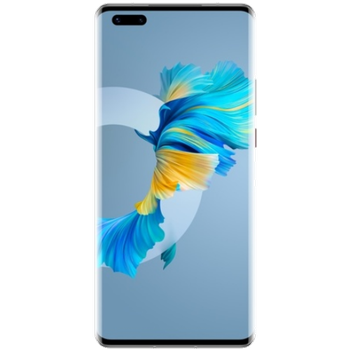
Verfügbare Anleitungen für die Synchronisierung mit der sicheren Cloud
Unterstützte Funktionen
- Kontakt-Synchronisation
- sms-Sicherung
- Sicherung des Anrufprotokolls
- Foto-Synchronisierung
- Video-Synchronisation
- automatisch synchronisieren


Übertragen Sie Ihre Kontakte, Fotos, Videos, SMS-Nachrichten und Anrufprotokolle von Huawei Mate 40 Pro (NOH-LX9) in einen Online-Speicher und zurück, um sie sicher und aktuell zu halten.
Huawei Mate 40 Pro (NOH-LX9) wird von PhoneCopy unterstützt.
Bitte beachten Sie, dass die folgenden Einstellungen je nach Firmware-Version leicht variieren können.
Bestätigte Modelle
Bestätigte Versionen
- Android 12
- Android 10
News
- 23.01.24
- We added Huawei Mate 40 Pro (NOH-LX9) to supported devices with Android 12.
- 12.01.23
- Jemand hat PhoneCopy zur Sicherung dieses Telefonmodells in Malaysia verwendet. Seine Kontakte und SMS-Nachrichten wurden übertragen.
- 26.12.22
- Sogar in Deutschland haben wir einen Benutzer mit einem Huawei Mate 40 Pro (NOH-LX9)-Telefon. Er sichert seine Kontakte und SMS-Nachrichten.
- 21.05.22
- Der erste Benutzer aus Tschechien hat gerade seine Kontakte auf seinem Huawei Mate 40 Pro (NOH-LX9)-Telefon synchronisiert.
- 14.06.21
- PhoneCopy app is fully supported on Huawei Mate 40 Pro (NOH-LX9) with Android version 10.
- Die Sicherung persönlicher Daten von Huawei Mate 40 Pro (NOH-LX9) mit dem Betriebssystem Android und Huawei Mobile Services wird jetzt offiziell von unserer PhoneCopy-App unterstützt.
Android-Versionen auf Huawei Mate 40 Pro (NOH-LX9)
Bei der Synchronisierung hatten PhoneCopy-Benutzer folgende Android-Versionen auf ihrem Huawei Mate 40 Pro (NOH-LX9): Android 10 (95.24%), Android 12 (4.76%).
Das Diagramm zeigt die Nutzung von Huawei Mate 40 Pro (NOH-LX9)- und Android-Versionen für die Kontaktsicherung mit PhoneCopy weltweit.
Huawei Mate 40 Pro (NOH-LX9) Nutzer auf der ganzen Welt
Huawei Mate 40 Pro (NOH-LX9) wird für die Kontaktsicherung von PhoneCopy-Benutzern in mehreren Ländern auf der ganzen Welt bevorzugt - Deutschland (Deutschland) - 56.25%, Tschechien (Czech Republic, Česká republika) - 37.50%, Malaysia (Mǎláixīyà, 马来西亚, Malēṣiyā, மலேசியா) - 6.25%.
Die Karte zeigt die Nutzung von Huawei Mate 40 Pro (NOH-LX9) für die Kontaktsicherung mit PhoneCopy weltweit.
Textanleitung - So sichern Sie Ihre Daten
Von Huawei Mate 40 Pro (NOH-LX9)
- Download our PhoneCopy for Huawei application to your mobile device.
- After launching the application, create a new account from the application. If you have already created an account on web pages www.phonecopy.com, log in to this existing account in the application.
- After succesful login press "Synchronize" for complete synchronization, or press "Advanced & Account", select "One-way sync" and after choose "This device >> server" for one-way sync.
More detailed information and instructions include screenshots: how to backup and synchronize contacts from Huawei
For more information about our app, visit our PhoneCopy for Huawei page.
Let us just remind you, that for now PhoneCopy for Android transfers to server contacts, photos, videos, Call Logs and SMS.
Bei Problemen mit der Synchronisierung, bitte kontaktieren Sie uns.
Zu Huawei Mate 40 Pro (NOH-LX9)
- Download our PhoneCopy for Huawei application to your mobile device.
- After launching the application, create a new account from the application. If you have already created an account on web pages www.phonecopy.com, log in to this existing account in the application.
- After succesful login press "Synchronize" for complete synchronization, or press "Advanced & Account", select "One-way sync" and after choose "Server >> this device" for one-way sync.
More detailed information and instructions include screenshots: how transfer contacts to Huawei
For more information about our app, visit our PhoneCopy for Huawei page.
Let us just remind you, that for now PhoneCopy for Android transfers to server contacts, photos, videos, Call Logs and SMS.
Bei Problemen mit der Synchronisierung, bitte kontaktieren Sie uns.
Benutzer Kommentare
Um einen Kommentar zu hinterlassen, melden Sie sich an.
-
-
Hello, PhoneCopy backs up all SMS on the phone, there is no need to set anything else. Our records show a backup of 1818 SMS firstly and then adding of two more SMS (one by one) during consequent backups. Are you sure that the other messages that were not backed up are also SMS?
-

I don't see where to add more. Can anyone help me figure this out?
adolph1960, 01.08.22