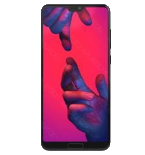
Kontakte, Fotos, Videos, SMS-Nachrichten und Anrufprotokolle sichern: Huawei P20 Pro Dual SIM (CLT-L29)
Verfügbare Anleitungen für die Synchronisierung mit der sicheren Cloud
Unterstützte Funktionen
- Kontakt-Synchronisation
- sms-Sicherung
- Sicherung des Anrufprotokolls
- Foto-Synchronisierung
- Video-Synchronisation
- automatisch synchronisieren


Übertragen Sie Ihre Kontakte, Fotos, Videos, SMS-Nachrichten und Anrufprotokolle von Huawei P20 Pro Dual SIM (CLT-L29) in einen Online-Speicher und zurück, um sie sicher und aktuell zu halten.
Huawei P20 Pro Dual SIM (CLT-L29) wird von PhoneCopy unterstützt.
Bitte beachten Sie, dass die folgenden Einstellungen je nach Firmware-Version leicht variieren können.
Bestätigte Modelle
Bestätigte Versionen
- Android 10
- Android 9.0 Pie
- Android 8.1 Oreo
News
- 18.11.23
- Jemand hat PhoneCopy zur Sicherung dieses Telefonmodells in Indonesien verwendet. Seine Kontakte wurden übertragen.
- 01.11.23
- Jemand hat PhoneCopy zur Sicherung dieses Telefonmodells in Philippinen verwendet. Seine Kontakte wurden übertragen.
- 13.07.23
- Der erste Benutzer aus Litauen hat gerade seine Kontakte und SMS-Nachrichten auf seinem Huawei P20 Pro Dual SIM (CLT-L29)-Telefon synchronisiert.
- 22.05.23
- Ein Benutzer aus Schweiz hat seine Kontakte und SMS-Nachrichten mit seinem Telefon synchronisiert.
- 22.03.23
- Ein Benutzer aus Slowenien hat seine Kontakte und SMS-Nachrichten mit seinem Telefon synchronisiert.
Android-Versionen auf Huawei P20 Pro Dual SIM (CLT-L29)
Die PhoneCopy-App für Android unterstützt verschiedene Android-Versionen. Unsere Benutzer haben ihr Huawei P20 Pro Dual SIM (CLT-L29) mit Android 10 (61.28%), Android 8.1 Oreo (23.13%), Android 9.0 Pie (15.58%) synchronisiert.
Das Diagramm zeigt die Huawei P20 Pro Dual SIM (CLT-L29)-Sicherung mit PhoneCopy unter verschiedenen Android-Versionen.
Huawei P20 Pro Dual SIM (CLT-L29) Nutzer auf der ganzen Welt
Huawei P20 Pro Dual SIM (CLT-L29) wird häufig von PhoneCopy-Benutzern in Ländern wie Tschechien (Czech Republic, Česká republika) - 64.97%, Ungarn (Magyarország) - 8.12%, Russland (Rossiya, Rossiâ, Россия) - 6.09%, Algerien (Dzayer, ⴷⵣⴰⵢⴻⵔ, Al-Jazā'ir, الجزائر) - 3.55%, Dänemark (Danmark) - 3.05%, Frankreich - 2.41%, Österreich (Österreich) - 2.41%, Deutschland (Deutschland) - 1.02%, Saudi-Arabien (Al-Mamlaka Al-‘Arabiyyah as Sa‘ūdiyyah, المملكة العربية السعودية) - 0.89%, Litauen (Lietuva) - 0.76% und 22 anderen Ländern verwendet.
Das Histogramm zeigt die Huawei P20 Pro Dual SIM (CLT-L29)-Sicherung mit PhoneCopy weltweit.
Textanleitung - So sichern Sie Ihre Daten
Von Huawei P20 Pro Dual SIM (CLT-L29)
- Download our PhoneCopy for Huawei application to your mobile device.
- After launching the application, create a new account from the application. If you have already created an account on web pages www.phonecopy.com, log in to this existing account in the application.
- After succesful login press "Synchronize" for complete synchronization, or press "Advanced & Account", select "One-way sync" and after choose "This device >> server" for one-way sync.
More detailed information and instructions include screenshots: how to backup and synchronize contacts from Huawei
For more information about our app, visit our PhoneCopy for Huawei page.
Let us just remind you, that for now PhoneCopy for Android transfers to server contacts, photos, videos, Call Logs and SMS.
Bei Problemen mit der Synchronisierung, bitte kontaktieren Sie uns.
Zu Huawei P20 Pro Dual SIM (CLT-L29)
- Download our PhoneCopy for Huawei application to your mobile device.
- After launching the application, create a new account from the application. If you have already created an account on web pages www.phonecopy.com, log in to this existing account in the application.
- After succesful login press "Synchronize" for complete synchronization, or press "Advanced & Account", select "One-way sync" and after choose "Server >> this device" for one-way sync.
More detailed information and instructions include screenshots: how transfer contacts to Huawei
For more information about our app, visit our PhoneCopy for Huawei page.
Let us just remind you, that for now PhoneCopy for Android transfers to server contacts, photos, videos, Call Logs and SMS.
Bei Problemen mit der Synchronisierung, bitte kontaktieren Sie uns.
Benutzer Kommentare
Um einen Kommentar zu hinterlassen, melden Sie sich an.
-
v1sqs35h.58-10-8-5 (unknown/mbm-3.0-eqs-36ab776a002-251119-ssq3s2hv-v1-st19.1-40ea8) arnishahridoy, 13.03.26
