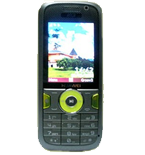
Kontakte sichern: Huawei U1280
Verfügbare Anleitungen für die Synchronisierung mit der sicheren Cloud
Unterstützte Funktionen
- Kontakt-Synchronisation

Übertragen Sie Ihre Kontakte von Huawei U1280 in einen Online-Speicher und zurück, um sie sicher und aktuell zu halten.
Huawei U1280 wird von PhoneCopy unterstützt.
Bitte beachten Sie, dass die folgenden Einstellungen je nach Firmware-Version leicht variieren können.
Bestätigte Modelle
Bestätigte Versionen
Textanleitung - So sichern Sie Ihre Daten
Mit Huawei U1280
Die Richtlinie ist noch nicht in Ihre Sprache übersetzt worden.
| Profile name: | PhoneCopy |
|---|---|
| Host address: | http://www.phonecopy.com/sync |
| Port: | 80 |
| Login name: | username |
| Password: | Enter the password (allowed length is 5-50 characters) |
| Remote calendar database: | Calendar |
| Remote contact database: | Contacts |
| Remote note database: | Notes |
| Remote task/To-Do database: | Tasks |
| HTTP authentication | No |
| HTTP/Network username: | Do not enter |
| HTTP password: | Do not enter |
| Allow sync request: | Yes |
| Confirm sync request: | No |
| Internet connection: | Choose a connection, which you use for web browsing on your mobile phone (e.g. internet or GPRS etc.) |
When the above mentioned set up is done, start a sychronization.
Und nun bitte weisen Sie Ihr Telefon Ihrem PhoneCopy-Konto zu.
Bei Problemen mit der Synchronisierung, bitte kontaktieren Sie uns.
