Kontakte, Fotos, Videos, SMS-Nachrichten und Anrufprotokolle sichern: Huawei Y6p 2020 med-lx9n
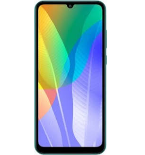
Verfügbare Anleitungen für die Synchronisierung mit der sicheren Cloud
Unterstützte Funktionen
- Kontakt-Synchronisation
- sms-Sicherung
- Sicherung des Anrufprotokolls
- Foto-Synchronisierung
- Video-Synchronisation
- automatisch synchronisieren


Übertragen Sie Ihre Kontakte, Fotos, Videos, SMS-Nachrichten und Anrufprotokolle von Huawei Y6p 2020 med-lx9n in einen Online-Speicher und zurück, um sie sicher und aktuell zu halten.
Huawei Y6p 2020 med-lx9n wird von PhoneCopy unterstützt.
Bitte beachten Sie, dass die folgenden Einstellungen je nach Firmware-Version leicht variieren können.
Bestätigte Modelle
Bestätigte Versionen
- Android 10
News
- 21.06.26
- Wir haben gerade den ersten Benutzer dieses Modells in Türkei bekommen! Jemand hat gerade seine Kontakte, Medien und Anrufprotokolle gesichert.
- 25.12.24
- Wir haben gerade den ersten Benutzer dieses Modells in Rumänien bekommen! Jemand hat gerade seine Kontakte, Medien, SMS-Nachrichten und Anrufprotokolle gesichert.
- 02.09.23
- Jemand hat PhoneCopy zur Sicherung dieses Telefonmodells in Frankreich verwendet. Seine Kontakte und SMS-Nachrichten wurden übertragen.
- 25.08.22
- Jemand hat PhoneCopy zur Sicherung dieses Telefonmodells in Polen verwendet. Seine Kontakte und SMS-Nachrichten wurden übertragen.
- 07.03.22
- Ein neuer Telefonbenutzer hat seine Kontakte von Italien aus mit PhoneCopy synchronisiert.
Android-Versionen auf Huawei Y6p 2020 med-lx9n
Bei der Synchronisierung hatten PhoneCopy-Benutzer folgende Android-Versionen auf ihrem Huawei Y6p 2020 med-lx9n: Android 10 (100.00%).
Huawei Y6p 2020 med-lx9n Nutzer auf der ganzen Welt
Huawei Y6p 2020 med-lx9n wird häufig von PhoneCopy-Benutzern in Ländern wie Tschechien (Czech Republic, Česká republika) - 95.15%, Italien (Italia) - 1.30%, Polen (Polska) - 1.18%, Vereinigtes Königreich (Y Deyrnas Unedig, Unitit Kinrick, Rìoghachd Aonaichte, Ríocht Aontaithe, An Rywvaneth Unys) - 0.95%, Deutschland (Deutschland) - 0.47%, Irland (Éire) - 0.36%, Frankreich - 0.24%, Schweiz (Schweiz, Suisse, Svizzera, Svizra) - 0.12%, Rumänien (România) - 0.12%, Türkei (Türkiye) - 0.12% verwendet.
Die folgende Heatmap zeigt Kontaktsynchronisierungen mit Huawei Y6p 2020 med-lx9n über PhoneCopy weltweit.
Textanleitung - So sichern Sie Ihre Daten
Von Huawei Y6p 2020 med-lx9n
- Download our PhoneCopy for Huawei application to your mobile device.
- After launching the application, create a new account from the application. If you have already created an account on web pages www.phonecopy.com, log in to this existing account in the application.
- After succesful login press "Synchronize" for complete synchronization, or press "Advanced & Account", select "One-way sync" and after choose "This device >> server" for one-way sync.
More detailed information and instructions include screenshots: how to backup and synchronize contacts from Huawei
For more information about our app, visit our PhoneCopy for Huawei page.
Let us just remind you, that for now PhoneCopy for Android transfers to server contacts, photos, videos, Call Logs and SMS.
Bei Problemen mit der Synchronisierung, bitte kontaktieren Sie uns.
Zu Huawei Y6p 2020 med-lx9n
- Download our PhoneCopy for Huawei application to your mobile device.
- After launching the application, create a new account from the application. If you have already created an account on web pages www.phonecopy.com, log in to this existing account in the application.
- After succesful login press "Synchronize" for complete synchronization, or press "Advanced & Account", select "One-way sync" and after choose "Server >> this device" for one-way sync.
More detailed information and instructions include screenshots: how transfer contacts to Huawei
For more information about our app, visit our PhoneCopy for Huawei page.
Let us just remind you, that for now PhoneCopy for Android transfers to server contacts, photos, videos, Call Logs and SMS.
Bei Problemen mit der Synchronisierung, bitte kontaktieren Sie uns.
Benutzer Kommentare
Um einen Kommentar zu hinterlassen, melden Sie sich an.
-
-
Hi, I am sorry but the current version doesn't support automatic synchronization. But the next version which will be launched soon will allow it.
-

I have synchronized manually, but I would like to avoid having to open the app and manually click on the synchronize menu option? arthurquinlan, 07.09.21