Kontakte, Kalender, Aufgaben, Notizen und SMS-Nachrichten sichern: LG KT610
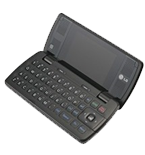
Verfügbare Anleitungen für die Synchronisierung mit der sicheren Cloud
Unterstützte Funktionen
- Kontakt-Synchronisation
- Kalender-Synchronisation
- Aufgabe-Synchronisation
- Notiz-Synchronisierung
- sms-Sicherung

Übertragen Sie Ihre Kontakte, Kalender, Aufgaben, Notizen und SMS-Nachrichten von LG KT610 in einen Online-Speicher und zurück, um sie sicher und aktuell zu halten.
LG KT610 wird von PhoneCopy unterstützt.
Bitte beachten Sie, dass die folgenden Einstellungen je nach Firmware-Version leicht variieren können.
Textanleitung - So sichern Sie Ihre Daten
Mit LG KT610
Die Richtlinie ist noch nicht in Ihre Sprache übersetzt worden.
First go to the phone's Main Menu and then follow these steps:
- Select Tools, then Sync. Under Sync select Options and afterwards New sync profile.
- To Sync profile name fill in PhoneCopy.
- Select Connection settings and configure given fields
▼ hide fields
- Server version: select 1.2
- Server ID: leave blank
- Data bearer: Internet
- Access point: Select your operator's GPRS access point. We recommend using the "internet" data profiles if possible.
- Host address: write http://www.phonecopy.com/sync
- Port: write 80
- User name: your_username
- Password: your_password
- Allow sync request: Yes
- Accept all sync requests: No
- Network authentication: No
- Press Back and select Applications.
- In case you experience trouble during the synchronization, you may try enabling only one remote database at a time with the Include in sync option. Now, select items you want to back up:
▼ hide contacts
- Include in sync: Yes
- Remote database: contacts
- Synchronization type (use option normal or both):
- Press: Back
▼ hide calendar- Include in sync: Yes
- Remote database: calendar
- Synchronization type:
- Press: Back
▼ hide notes- Include in sync: Yes
- Remote database: notes
- Synchronization type:
- Press: Back
▼ hide sms- Include in sync: Yes
- Remote database: sms
- Synchronization type:
- Press: Back
- Synchronize your phone anytime by selecting Menu, Tools, then Sync - PhoneCopy - Synchronise
If you need more help with the settings, visit our step by step screenshot guides.
Und nun bitte weisen Sie Ihr Telefon Ihrem PhoneCopy-Konto zu.
Bei Problemen mit der Synchronisierung, bitte kontaktieren Sie uns.
