Kontakte, Kalender, Aufgaben und Notizen sichern: Nokia 6020
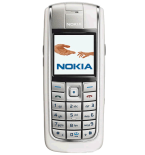
Verfügbare Anleitungen für die Synchronisierung mit der sicheren Cloud
Unterstützte Funktionen
- Kontakt-Synchronisation
- Kalender-Synchronisation
- Aufgabe-Synchronisation
- Notiz-Synchronisierung

Übertragen Sie Ihre Kontakte, Kalender, Aufgaben und Notizen von Nokia 6020 in einen Online-Speicher und zurück, um sie sicher und aktuell zu halten.
Nokia 6020 wird von PhoneCopy unterstützt.
Bitte beachten Sie, dass die folgenden Einstellungen je nach Firmware-Version leicht variieren können.
Bestätigte Modelle
Bestätigte Versionen
News
- 03.07.25
- Ein Benutzer aus Südafrika hat seine Kontakte mit seinem Telefon synchronisiert.
Nokia 6020 Nutzer auf der ganzen Welt
Nokia 6020 wird für die Kontaktsicherung von PhoneCopy-Benutzern in mehreren Ländern auf der ganzen Welt bevorzugt - Südafrika (Suid-Afrika, iNingizimu Afrika, uMzantsi Afrika, Afrika-Borwa, Afrika Borwa, Aforika Borwa, Afurika Tshipembe, Afrika Dzonga, iSewula Afrika) - 100.00%.
Auf der Karte
Das Histogramm zeigt die Nokia 6020-Sicherung mit PhoneCopy weltweit.
Textanleitung - So sichern Sie Ihre Daten
Mit Nokia 6020
First go to the phone's Main Menu and then follow these steps:
- Select Settings - Configuration - Personal config. settings - Synchronization
- Set given fields for account configuration.
▼ hide fields
- Name account: write PhoneCopy
- Server Address: write http://www.phonecopy.com/sync
- User name: your_username
- Password: your_password
- Select items you want to back up:
▼ hide fields
- Contacts database: Select Database address write contacts
- Calendar database: Select Database address and write calendar
- Notes database: Select Database address and write notes
- Go to Connection - Data Transmission - Server sync. and Options.
- Select Edit - Data for Sync and mark the items you want to synchronise.
- Answer the question Yes.
- Select Synchronization settings - Configuration - Personal Configuration and press Select.
Und nun bitte weisen Sie Ihr Telefon Ihrem PhoneCopy-Konto zu.
Bei Problemen mit der Synchronisierung, bitte kontaktieren Sie uns.
