Kontakte, Kalender, Aufgaben und Notizen sichern: Nokia 6500 slide
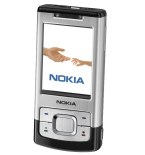
Verfügbare Anleitungen für die Synchronisierung mit der sicheren Cloud
Unterstützte Funktionen
- Kontakt-Synchronisation
- Kalender-Synchronisation
- Aufgabe-Synchronisation
- Notiz-Synchronisierung

Übertragen Sie Ihre Kontakte, Kalender, Aufgaben und Notizen von Nokia 6500 slide in einen Online-Speicher und zurück, um sie sicher und aktuell zu halten.
Nokia 6500 slide wird von PhoneCopy unterstützt.
Bitte beachten Sie, dass die folgenden Einstellungen je nach Firmware-Version leicht variieren können.
Bestätigte Modelle
Bestätigte Versionen
News
- 01.01.24
- Dieses Telefonmodell wurde gerade von einem PhoneCopy-Benutzer in Ghana synchronisiert. Es hat Kontakte übertragen.
- 12.12.20
- Wir haben die PhoneCopy-App auf einem Nokia 6500 slide-Telefon in Vereinigtes Königreich erkannt. Alle Kontakte wurden gesichert.
- 23.08.20
- Kürzlich haben wir auch in Uganda einen neuen Benutzer von Nokia 6500 slide bekommen. Er nutzt PhoneCopy zur Sicherung von Kontakte.
- 01.05.20
- Jemand hat PhoneCopy zur Sicherung dieses Telefonmodells in Indien verwendet. Seine Kontakte wurden übertragen.
- 08.02.20
- Jemand hat PhoneCopy zur Sicherung dieses Telefonmodells in Kenia verwendet. Seine Kontakte wurden übertragen.
Nokia 6500 slide Nutzer auf der ganzen Welt
Nokia 6500 slide wird häufig von PhoneCopy-Benutzern in Ländern wie Ghana (Gaana, Gana) - 28.57%, Indien (Bharôt, ভাৰত, ভারত, Bhārat, ભારત, भारत, Bhārata, ಭಾರತ, Bhāratam, ഭാരതം, Bharôtô, ଭାରତ, ਭਾਰਤ, भारतम्, Bārata, பாரதம், Bhāratadēsam, భారత దేశం) - 14.29%, Australien - 14.29%, Uganda - 14.29%, Vereinigtes Königreich (Y Deyrnas Unedig, Unitit Kinrick, Rìoghachd Aonaichte, Ríocht Aontaithe, An Rywvaneth Unys) - 14.29%, Kenia - 14.29% verwendet.
Auf der Karte
Die folgende Heatmap zeigt Kontaktsynchronisierungen mit Nokia 6500 slide über PhoneCopy weltweit.
Textanleitung - So sichern Sie Ihre Daten
Mit Nokia 6500 slide
- Press Menu and choose Settings - Configuration - Personal config. sett..
- Press Options and choose Add new - Synchronization and configure given fields.
▼ hide fields
- Account name: Write PhoneCopy
- Server address: Write http://www.phonecopy.com/sync
- User name: your_username
- Password: your_password
- Contacts database:
- Database address
- Write contacts
- User name
- Leave empty.
- Password
- Leave empty.
- Calendar database:
- Database address
- Write calendar
- User name
- Leave empty.
- Password
- Leave empty.
- Notes database:
- Database address
- Write notes
- User name
- Leave empty.
- Password
- Leave empty.
- Use pref. access pt.: If you want to use your preferred access point to connect to PhoneCopy, choose Yes, otherwise choose No and set up the access point in the next menu item Access point settings.
- Press Back, go to the name of the profile you have just created, press Options and choose Activate.
- Press Back twice.
- Choose Sync and backup - Data transfer and go to Server sync but do not enter this item.
- Press Options - Edit - Sync settings and configure given fields.
▼ hide fields
- Configuration: Choose Personal config. - Select.
- Account: Choose PhoneCopy - Select.
- User name: Fill in your user name.
- Password: Fill in your password.
- Press Back and choose Synchronized data.
- Mark the items you want to synchronize and press Done (or Back if you made no changes).
- If the cell phone asks you Save changes?, choose Yes.
- Choosing Server sync you can now start synchronization with PhoneCopy.
If you need more help with the settings, visit our step by step screenshot guide.
Und nun bitte weisen Sie Ihr Telefon Ihrem PhoneCopy-Konto zu.
Bei Problemen mit der Synchronisierung, bitte kontaktieren Sie uns.
