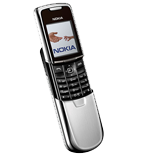
Kontakte, Kalender, Aufgaben und Notizen sichern: Nokia 8801
Verfügbare Anleitungen für die Synchronisierung mit der sicheren Cloud
Unterstützte Funktionen
- Kontakt-Synchronisation
- Kalender-Synchronisation
- Aufgabe-Synchronisation
- Notiz-Synchronisierung

Übertragen Sie Ihre Kontakte, Kalender, Aufgaben und Notizen von Nokia 8801 in einen Online-Speicher und zurück, um sie sicher und aktuell zu halten.
Nokia 8801 wird von PhoneCopy unterstützt.
Bitte beachten Sie, dass die folgenden Einstellungen je nach Firmware-Version leicht variieren können.
Bestätigte Modelle
Bestätigte Versionen
Textanleitung - So sichern Sie Ihre Daten
Mit Nokia 8801
Die Richtlinie ist noch nicht in Ihre Sprache übersetzt worden.
- Press Menu and choose Organiser - Synchronisation - Settings.
- Select Select Active Internet sync settings., choose the profile you wish to activate and press Activate .
- Select Edit active Internet sync settings and configure given fields.
▼ hide fields
- Account name: PhoneCopy
- Settings' name: http://www.phonecopy.com/sync
- Data to be synchronised: Mark the data you wish to synchronise.
- Database addresses:
- Contacts database
- contacts
- Calendar database
- calendar
- Notes database
- notes
- User name: your_username
- Password: your_password
- Synchronization server: http://www.phonecopy.com/sync
- Press 2x Back and select Synchronise .
Und nun bitte weisen Sie Ihr Telefon Ihrem PhoneCopy-Konto zu.
Bei Problemen mit der Synchronisierung, bitte kontaktieren Sie uns.
