Kontakte sichern: Nokia 9300i
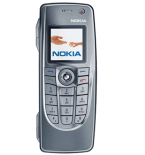
Verfügbare Anleitungen für die Synchronisierung mit der sicheren Cloud
Unterstützte Funktionen
- Kontakt-Synchronisation

Übertragen Sie Ihre Kontakte von Nokia 9300i in einen Online-Speicher und zurück, um sie sicher und aktuell zu halten.
Nokia 9300i wird von PhoneCopy unterstützt.
Bitte beachten Sie, dass die folgenden Einstellungen je nach Firmware-Version leicht variieren können.
Bestätigte Modelle
Textanleitung - So sichern Sie Ihre Daten
Mit Nokia 9300i
Die Richtlinie ist noch nicht in Ihre Sprache übersetzt worden.
First go to the phone's Main Menu and then follow these steps:
- Select Sync, then Settings.
- Configure given fields.
▼ hide fields
- Sync Profile Name: PhoneCopy
- Data bearer: Internet
- Access point: Select your operator's GPRS access point. We recommend using the "internet" data profiles if possible.
- Host address: write http://www.phonecopy.com/sync
- Port: write 80
- User name: your_username
- Password: your_password
- Allow sync request: Tick
- Auto-accept sync requests: Tick off
- Press Back and select Data.
- Select items you want to back up:
▼ hide contacts
- Click on DATA SETTINGS and then set up following:
- Remote database: contacts
- Synchronization type: normal
- Press: OK
▼ hide calendar- Click on DATA SETTINGS and then set up following:
- Remote database: calendar
- Synchronization type: normal
- Press: OK
Congratulations!
Now, you can start syncing with PhoneCopy and get your phone backed up!
Remember, you need to sync your phone first. On your phone, click PhoneCopy and Synchronize now.
Und nun bitte weisen Sie Ihr Telefon Ihrem PhoneCopy-Konto zu.
Bei Problemen mit der Synchronisierung, bitte kontaktieren Sie uns.
