Kontakte sichern: Samsung Omnia 735 (B7350 Omnia Pro 4)
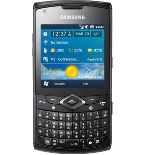
Verfügbare Anleitungen für die Synchronisierung mit der sicheren Cloud
Unterstützte Funktionen
- Kontakt-Synchronisation
- automatisch synchronisieren

Übertragen Sie Ihre Kontakte von Samsung Omnia 735 (B7350 Omnia Pro 4) in einen Online-Speicher und zurück, um sie sicher und aktuell zu halten.
Samsung Omnia 735 (B7350 Omnia Pro 4) wird von PhoneCopy unterstützt.
Bitte beachten Sie, dass die folgenden Einstellungen je nach Firmware-Version leicht variieren können.
Textanleitung - So sichern Sie Ihre Daten
Mit Samsung Omnia 735 (B7350 Omnia Pro 4)
Die Richtlinie ist noch nicht in Ihre Sprache übersetzt worden.
- Press Start - Programs - ActiveSync.
- Vyberte Menu - Add server source.
- Fill www.phonecopy.com into Server address.
- Leave This server requires an encrypted (SSL) connection checked.
- Press Next.
- Fill in your account details.
▼ hide fields
- Username: your_username
- Password: your_password
- Domain: phonecopy.com
- Press Next.
- Select the data to be synchronized:
▼ hide fields
- Contacts: yes
- Calendar: no
- Emails: no
- Tasks: no
- Pres Finish.
- Pressing Sync will perform a synchronization of your data with PhoneCopy.
- You can start future synchronizations by pressing Start - Programs - ActiveSync - Sync.
Notice: you do not need to assign the device via IMEI for Windows devices. Device assignment is automatic.
Bei Problemen mit der Synchronisierung, bitte kontaktieren Sie uns.
