Kontakte, Kalender, Aufgaben und Notizen sichern: Sony Ericsson J10i (Elm)
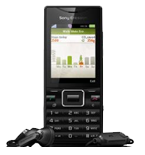
Verfügbare Anleitungen für die Synchronisierung mit der sicheren Cloud
Unterstützte Funktionen
- Kontakt-Synchronisation
- Kalender-Synchronisation
- Aufgabe-Synchronisation
- Notiz-Synchronisierung

Übertragen Sie Ihre Kontakte, Kalender, Aufgaben und Notizen von Sony Ericsson J10i (Elm) in einen Online-Speicher und zurück, um sie sicher und aktuell zu halten.
Sony Ericsson J10i (Elm) wird von PhoneCopy unterstützt.
Bitte beachten Sie, dass die folgenden Einstellungen je nach Firmware-Version leicht variieren können.
Bestätigte Modelle
Bestätigte Versionen
News
- 05.02.26
- Ein Sony Ericsson J10i (Elm)-Telefon wurde von einem PhoneCopy-Benutzer in Griechenland synchronisiert. Seine Kontakte wurden übertragen.
- 25.09.23
- Wir haben gerade den ersten Benutzer von Sony Ericsson J10i (Elm) in Deutschland bekommen! Jemand hat gerade seine Kontakte von einem neuen Telefon gesichert.
- 08.05.20
- Ein Sony Ericsson J10i (Elm)-Telefon wurde von einem PhoneCopy-Benutzer in Indien synchronisiert. Seine Kontakte wurden übertragen.
- 02.04.20
- Wir haben die PhoneCopy-App auf einem Sony Ericsson J10i (Elm)-Telefon in Tschechien erkannt. Alle Kontakte wurden gesichert.
- 04.11.19
- Wir haben die PhoneCopy-App auf einem Sony Ericsson J10i (Elm)-Telefon in Sri Lanka erkannt. Alle Kontakte wurden gesichert.
Sony Ericsson J10i (Elm) Nutzer auf der ganzen Welt
Sony Ericsson J10i (Elm) wird für die Kontaktsicherung von PhoneCopy-Benutzern in mehreren Ländern auf der ganzen Welt bevorzugt - Vereinigtes Königreich (Y Deyrnas Unedig, Unitit Kinrick, Rìoghachd Aonaichte, Ríocht Aontaithe, An Rywvaneth Unys) - 38.10%, Tschechien (Czech Republic, Česká republika) - 28.57%, Deutschland (Deutschland) - 14.29%, Sri Lanka (Sri Lankā, ශ්රී ලංකාව, இலங்கை) - 9.52%, Indien (Bharôt, ভাৰত, ভারত, Bhārat, ભારત, भारत, Bhārata, ಭಾರತ, Bhāratam, ഭാരതം, Bharôtô, ଭାରତ, ਭਾਰਤ, भारतम्, Bārata, பாரதம், Bhāratadēsam, భారత దేశం) - 4.76%, Griechenland (Hellas, Ελλάς, Ellada, Ελλάδα) - 4.76%.
Auf der Karte
Die Karte zeigt die Nutzung von Sony Ericsson J10i (Elm) für die Kontaktsicherung mit PhoneCopy weltweit.
Textanleitung - So sichern Sie Ihre Daten
Mit Sony Ericsson J10i (Elm)
| Profile name: | PhoneCopy |
|---|---|
| Host address: | http://www.phonecopy.com/sync |
| Port: | 80 |
| Login name: | username |
| Password: | Enter the password (allowed length is 5-50 characters) |
| Remote calendar database: | Calendar |
| Remote contact database: | Contacts |
| Remote note database: | Notes |
| Remote task/To-Do database: | Tasks |
| HTTP authentication | No |
| HTTP/Network username: | Do not enter |
| HTTP password: | Do not enter |
| Allow sync request: | Yes |
| Confirm sync request: | No |
| Internet connection: | Choose a connection, which you use for web browsing on your mobile phone (e.g. internet or GPRS etc.) |
When the above mentioned set up is done, start a sychronization.
Und nun bitte weisen Sie Ihr Telefon Ihrem PhoneCopy-Konto zu.
Bei Problemen mit der Synchronisierung, bitte kontaktieren Sie uns.
