Kontakte, Kalender, Aufgaben und Notizen sichern: Sony Ericsson K850i
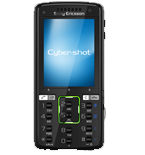
Verfügbare Anleitungen für die Synchronisierung mit der sicheren Cloud
Unterstützte Funktionen
- Kontakt-Synchronisation
- Kalender-Synchronisation
- Aufgabe-Synchronisation
- Notiz-Synchronisierung

Übertragen Sie Ihre Kontakte, Kalender, Aufgaben und Notizen von Sony Ericsson K850i in einen Online-Speicher und zurück, um sie sicher und aktuell zu halten.
Sony Ericsson K850i wird von PhoneCopy unterstützt.
Bitte beachten Sie, dass die folgenden Einstellungen je nach Firmware-Version leicht variieren können.
Bestätigte Modelle
Bestätigte Versionen
News
- 01.06.21
- Wir haben gerade den ersten Benutzer von Sony Ericsson K850i in Vietnam bekommen! Jemand hat gerade seine Kontakte von einem neuen Telefon gesichert.
Sony Ericsson K850i Nutzer auf der ganzen Welt
Laut unseren Statistiken verwenden PhoneCopy-Benutzer Sony Ericsson K850i für die Datensicherung in Ländern Vietnam (Việt Nam) - 100.00%.
Auf der Karte
Die folgende Heatmap zeigt Kontaktsynchronisierungen mit Sony Ericsson K850i über PhoneCopy weltweit.
Textanleitung - So sichern Sie Ihre Daten
Mit Sony Ericsson K850i
| Profile name: | PhoneCopy |
|---|---|
| Host address: | http://www.phonecopy.com/sync |
| Port: | 80 |
| Login name: | username |
| Password: | Enter the password (allowed length is 5-50 characters) |
| Remote calendar database: | Calendar |
| Remote contact database: | Contacts |
| Remote note database: | Notes |
| Remote task/To-Do database: | Tasks |
| HTTP authentication | No |
| HTTP/Network username: | Do not enter |
| HTTP password: | Do not enter |
| Allow sync request: | Yes |
| Confirm sync request: | No |
| Internet connection: | Choose a connection, which you use for web browsing on your mobile phone (e.g. internet or GPRS etc.) |
When the above mentioned set up is done, start a sychronization.
Und nun bitte weisen Sie Ihr Telefon Ihrem PhoneCopy-Konto zu.
Bei Problemen mit der Synchronisierung, bitte kontaktieren Sie uns.
