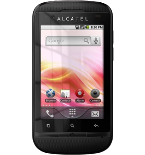
Transfer your contacts, photos, videos and sms messages from Alcatel One Touch OT-918 (Move 2) to an online storage and back to keep them safe and up to date.
Alcatel One Touch OT-918 (Move 2) is supported on PhoneCopy.
Please note that following settings may vary a little depending on the firmware version.
Confirmed models
alcatel one touch 918: one_touch_918_alap/one_touch_918_gsm (mt6573/one_touch_918_alap)
alcatel one touch 918: one_touch_918_alfr/one_touch_918_gsm (mt6573/one_touch_918_alfr)
alcatel one touch 918: one_touch_918_alnl/one_touch_918_gsm (mt6573/one_touch_918_alnl)
alcatel one touch 918: one_touch_918_c9pc/one_touch_918_gsm (mt6573/one_touch_918_c9pc)
alcatel one touch 918: one_touch_918_tbal/one_touch_918_gsm (mt6573/one_touch_918_tbal)
alcatel one touch 918: one_touch_918_tmgr/one_touch_918_gsm (mt6573/one_touch_918_tmgr)
alcatel one touch 918: one_touch_918_tmhu/one_touch_918_gsm (mt6573/one_touch_918_tmhu)
alcatel one touch 918: one_touch_918_twhu/one_touch_918_gsm (mt6573/one_touch_918_twhu)
alcatel one touch 918: one_touch_918_vdke/one_touch_918_gsm (mt6573/one_touch_918_vdke)
alcatel one touch 918a: one_touch_918a_ceco/one_touch_918a_gsm (mt6573/one_touch_918a_ceco)
alcatel one touch 918a: one_touch_918a_dcjm/one_touch_918a_gsm (mt6573/one_touch_918a_dcjm)
alcatel one touch 918a: one_touch_918a_eecl/one_touch_918a_gsm (mt6573/one_touch_918a_eecl)
alcatel one touch 918a: one_touch_918a_tgmx/one_touch_918a_gsm (mt6573/one_touch_918a_tgmx)
alcatel one touch 918d: one_touch_918d/one_touch_918d_umts (mt6573/one_touch_918d)
alcatel one touch 918d: one_touch_918d_alag/one_touch_918d_gsm (mt6573/one_touch_918d_alag)
alcatel one touch 918d: one_touch_918d_alap/one_touch_918d_gsm (mt6573/one_touch_918d_alap)
alcatel one touch 918d: one_touch_918d_alch/one_touch_918d_gsm (mt6573/one_touch_918d_alch)
alcatel one touch 918d: one_touch_918d_alcz/one_touch_918d_gsm (mt6573/one_touch_918d_alcz)
alcatel one touch 918d: one_touch_918d_alde/one_touch_918d_umts (mt6573/one_touch_918d_alde)
alcatel one touch 918d: one_touch_918d_alfr/one_touch_918d_gsm (mt6573/one_touch_918d_alfr)
alcatel one touch 918d: one_touch_918d_alru/one_touch_918d_gsm (mt6573/one_touch_918d_alru)
alcatel one touch 918d: one_touch_918d_tmy1/one_touch_918d_gsm (mt6573/one_touch_918d_tmy1)
alcatel one touch 918n: one_touch_918n_bpin/one_touch_918n_umts (mt6573/one_touch_918n_bpin)
alcatel one touch 918n: one_touch_918n_c2ph/one_touch_918n_gsm (mt6573/one_touch_918n_c2ph)
alcatel one touch 918n: one_touch_918n_lnil/one_touch_918n_gsm (mt6573/one_touch_918n_lnil)
alcatel one touch 918n: one_touch_918n_spph/one_touch_918n_gsm (mt6573/one_touch_918n_spph)
alcatel one touch 918s: one_touch_918s_cjus/one_touch_918s_gsm (mt6573/one_touch_918s_cjus)
alcatel_one_touch_918: one_touch_918_tlec/one_touch_918_gsm (mt6573/one_touch_918_tlec)
alcatel_one_touch_918_orange: one_touch_918_rgro/one_touch_918_gsm (mt6573/one_touch_918_rgro)
alcatel_one_touch_918d: one_touch_918d/one_touch_918d_umts (mt6573/one_touch_918d)
alcatel_one_touch_918m: one_touch_918m_bpin/one_touch_918m_umts (mt6573/one_touch_918m_bpin)
alcatel_one_touch_918m: one_touch_918m_c3il/one_touch_918m_gsm (mt6573/one_touch_918m_c3il)
alcatel_ot_918d: one_touch_918d/one_touch_918d_umts (mt6573/one_touch_918d)
move 2: move_2_tmmk/move_2_gsm (mt6573/move_2_tmmk)
show all
Confirmed versions
- Android 4.1 Jelly Bean
grk39f (6573/unknown)
grk39f (6573/unknown)
show all
- Android 2.3 Gingerbread
grj90 (maui.11amd.w11.19.sp.v2.f1.p1, 2011/11/22 18:40/unknown)
grj90 (unknown/unknown)
grk39f (6573/unknown)
show all
Android versions running on Alcatel One Touch OT-918 (Move 2)
PhoneCopy for Android app supports various Android versions. Our users synchronized their Alcatel One Touch OT-918 (Move 2) running Android 2.3 Gingerbread (98.69%), Android 4.1 Jelly Bean (1.31%).
Android versions on Alcatel One Touch OT-918 (Move 2)
The chart depicts Alcatel One Touch OT-918 (Move 2) backup with PhoneCopy, running on various versions of Android.
Text guideline - How to backup
With Alcatel One Touch OT-918 (Move 2)
- Download our PhoneCopy for Android application to your mobile device.
- After launching the application, create a new account from the application. If you have already created an account on web pages www.phonecopy.com, log in to this existing account in the application.
- After successful login, go through the application setup wizard and then select Synchronize (for an account with an existing backup) / Backup (for an empty account) or press the Later button and then select option in the side menu Back up contacts / Restore contacts for one-way synchronization.
For more information about our app, visit our PhoneCopy for Android page.
In the case of problems with synchronization, please contact us.
User comments
See whole discussion