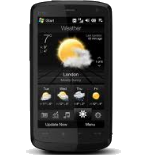
Backup contacts from HTC Touch HD
Available guides for synchronization to the secure cloud
Supported functions
- contact synchronization
- automatic sync

Transfer your contacts from HTC Touch HD to an online storage and back to keep them safe and up to date.
HTC Touch HD is supported on PhoneCopy.
Please note that following settings may vary a little depending on the firmware version.
Text guideline - How to backup
With HTC Touch HD
- Press Start - Programs - ActiveSync.
- Vyberte Menu - Add server source.
- Fill www.phonecopy.com into Server address.
- Leave This server requires an encrypted (SSL) connection checked.
- Press Next.
- Fill in your account details.
▼ hide fields
- Username: your_username
- Password: your_password
- Domain: phonecopy.com
- Press Next.
- Select the data to be synchronized:
▼ hide fields
- Contacts: yes
- Calendar: no
- Emails: no
- Tasks: no
- Pres Finish.
- Pressing Sync will perform a synchronization of your data with PhoneCopy.
- You can start future synchronizations by pressing Start - Programs - ActiveSync - Sync.
Notice: you do not need to assign the device via IMEI for Windows devices. Device assignment is automatic.
In the case of problems with synchronization, please contact us.
