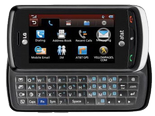
Backup contacts, calendar, tasks and notes from LG GR500 (Xenon)
Available guides for synchronization to the secure cloud
Supported functions
- contact synchronization
- calendar synchronization
- task synchronization
- note synchronization

Transfer your contacts, calendar, tasks and notes from LG GR500 (Xenon) to an online storage and back to keep them safe and up to date.
LG GR500 (Xenon) is supported on PhoneCopy.
Please note that following settings may vary a little depending on the firmware version.
Text guideline - How to backup
With LG GR500 (Xenon)
| Profile name: | PhoneCopy |
|---|---|
| Host address: | http://www.phonecopy.com/sync |
| Port: | 80 |
| Login name: | username |
| Password: | Enter the password (allowed length is 5-50 characters) |
| Remote calendar database: | Calendar |
| Remote contact database: | Contacts |
| Remote note database: | Notes |
| Remote task/To-Do database: | Tasks |
| HTTP authentication | No |
| HTTP/Network username: | Do not enter |
| HTTP password: | Do not enter |
| Allow sync request: | Yes |
| Confirm sync request: | No |
| Internet connection: | Choose a connection, which you use for web browsing on your mobile phone (e.g. internet or GPRS etc.) |
When the above mentioned set up is done, start a sychronization.
And now please, assign your phone to your PhoneCopy account.
In the case of problems with synchronization, please contact us.
