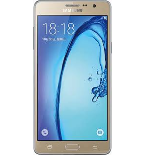
Backup contacts, photos, videos, sms messages and call logs from Samsung Galaxy On7 LTE sm-g600fy
Available guides for synchronization to the secure cloud
Supported functions
- contact synchronization
- sms backup
- call log backup
- photo synchronization
- video synchronization
- automatic sync


Transfer your contacts, photos, videos, sms messages and call logs from Samsung Galaxy On7 LTE sm-g600fy to an online storage and back to keep them safe and up to date.
Samsung Galaxy On7 LTE sm-g600fy is supported on PhoneCopy.
Please note that following settings may vary a little depending on the firmware version.
Confirmed models
Confirmed versions
- Android 6.0 Marshmallow
- Android 5.1 Lollipop
News
- 07/08/2020
- We just got first user of Samsung Galaxy On7 LTE sm-g600fy in Tanzania! Someone just backed up his contacts from a new phone.
- 11/03/2020
- First user from Nepal just synced his contacts on Samsung Galaxy On7 LTE sm-g600fy phone.
- 09/01/2020
- Recently we got new user of Samsung Galaxy On7 LTE sm-g600fy also in India. He is using PhoneCopy for backup of contacts.
- 26/12/2019
- We detected PhoneCopy app on Samsung Galaxy On7 LTE sm-g600fy phone in Philippines. All contacts were backed up.
Android versions running on Samsung Galaxy On7 LTE sm-g600fy
When synchronizing, PhoneCopy users had following Android versions on their Samsung Galaxy On7 LTE sm-g600fy: Android 6.0 Marshmallow (71.84%), Android 5.1 Lollipop (28.16%).
The chart shows usage of Samsung Galaxy On7 LTE sm-g600fy and Android versions for contact backup with PhoneCopy around the world.
Samsung Galaxy On7 LTE sm-g600fy users around the world
According to our statistics, PhoneCopy users use Samsung Galaxy On7 LTE sm-g600fy for data backup in countries India (Bharôt, ভাৰত, ভারত, Bhārat, ભારત, भारत, Bhārata, ಭಾರತ, Bhāratam, ഭാരതം, Bharôtô, ଭାରତ, ਭਾਰਤ, भारतम्, Bārata, பாரதம், Bhāratadēsam, భారత దేశం) - 86.76%, Tanzania - 7.35%, Philippines (Pilipinas) - 4.41%, Nepal (Nepāl, नेपाल) - 1.47%.
The map shows usage of Samsung Galaxy On7 LTE sm-g600fy for contact backup with PhoneCopy around the world.
Text guideline - How to backup
With Samsung Galaxy On7 LTE sm-g600fy
- Download our PhoneCopy for Android application to your mobile device.
- After launching the application, create a new account from the application. If you have already created an account on web pages www.phonecopy.com, log in to this existing account in the application.
- After successful login, go through the application setup wizard and then select Synchronize (for an account with an existing backup) / Backup (for an empty account) or press the Later button and then select option in the side menu Back up contacts / Restore contacts for one-way synchronization.
For more information about our app, visit our PhoneCopy for Android page.
In the case of problems with synchronization, please contact us.
User comments
To leave a comment please sign in.

Keep your account safe
A Google representative will never contact you to ask you to sign in. If someone contacted you, select 'No, don't allow'.
Device zakifumsume59, 09/10/2026