Backup contacts, calendar, tasks and notes from Siemens LS55
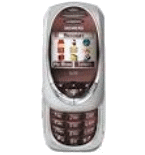
Available guides for synchronization to the secure cloud
Supported functions
- contact synchronization
- calendar synchronization
- task synchronization
- note synchronization

Transfer your contacts, calendar, tasks and notes from Siemens LS55 to an online storage and back to keep them safe and up to date.
Siemens LS55 is supported on PhoneCopy.
Please note that following settings may vary a little depending on the firmware version.
Confirmed models
News
- 24/01/2020
- We just got first user of Siemens LS55 in Russia! Someone just backed up his contacts from a new phone.
Siemens LS55 users around the world
Siemens LS55 is preffered for contact backup by PhoneCopy users in several countries around the world - Russia (Rossiya, Rossiâ, Россия) - 100.00%.
On the map
Histogram depicts Siemens LS55 backup with PhoneCopy around the world.
Text guideline - How to backup
With Siemens LS55
| Profile name: | PhoneCopy |
|---|---|
| Host address: | http://www.phonecopy.com/sync |
| Port: | 80 |
| Login name: | username |
| Password: | Enter the password (allowed length is 5-50 characters) |
| Remote calendar database: | Calendar |
| Remote contact database: | Contacts |
| Remote note database: | Notes |
| Remote task/To-Do database: | Tasks |
| HTTP authentication | No |
| HTTP/Network username: | Do not enter |
| HTTP password: | Do not enter |
| Allow sync request: | Yes |
| Confirm sync request: | No |
| Internet connection: | Choose a connection, which you use for web browsing on your mobile phone (e.g. internet or GPRS etc.) |
When the above mentioned set up is done, start a sychronization.
And now please, assign your phone to your PhoneCopy account.
In the case of problems with synchronization, please contact us.
