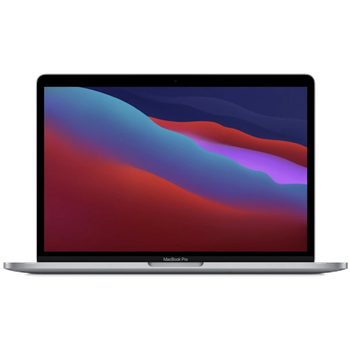
Realizar copia de seguridad de contactos, calendário, fotos y vídeos desde Apple MacBook Pro
Guías disponibles para la sincronización con la nube segura
Funciones compatibles
- sincronización de contactos
- sincronización de calendario
- sincronización de fotos
- sincronización de vídeos
- sincronización automática

Transfiera sus contactos, calendário, fotos y vídeos desde Apple MacBook Pro a un almacenamiento en línea y viceversa para mantenerlos seguros y actualizados.
Apple MacBook Pro es compatible con PhoneCopy.
Tenga en cuenta que la siguiente configuración puede variar ligeramente según la versión del firmware.
Modelos confirmados
Versiones confirmadas
Noticias
- 14/7/26
- Detectamos la aplicación PhoneCopy en un teléfono Apple MacBook Pro en Sudáfrica. Todos los contactos y calendário fueron respaldados.
- 13/7/26
- Alguien acaba de usar PhoneCopy para hacer una copia de seguridad de Apple MacBook Pro en el país India. Sus contactos y calendário fueron respaldados.
- 12/5/26
- Incluso en Estados Unidos tenemos un usuario con un teléfono Apple MacBook Pro. Hace copia de seguridad de sus contactos y calendário.
- 12/2/26
- Un teléfono Apple MacBook Pro fue sincronizado por un usuario de PhoneCopy en Japón. Sus contactos y calendário fueron transferidos.
- 3/2/26
- El primer usuario de Chequia acaba de sincronizar sus contactos en su teléfono Apple MacBook Pro.
usuarios de Apple MacBook Pro en todo el mundo
Según nuestras estadísticas, los usuarios de PhoneCopy utilizan Apple MacBook Pro para la copia de seguridad de datos en los países Chequia (Czech Republic, Česká republika) - 42.86%, Sudáfrica (Suid-Afrika, iNingizimu Afrika, uMzantsi Afrika, Afrika-Borwa, Afrika Borwa, Aforika Borwa, Afurika Tshipembe, Afrika Dzonga, iSewula Afrika) - 14.29%, Japón (Nihon, Nippon, 日本) - 14.29%, India (Bharôt, ভাৰত, ভারত, Bhārat, ભારત, भारत, Bhārata, ಭಾರತ, Bhāratam, ഭാരതം, Bharôtô, ଭାରତ, ਭਾਰਤ, भारतम्, Bārata, பாரதம், Bhāratadēsam, భారత దేశం) - 14.29%, Estados Unidos (Estados Unidos, États-Unis, ‘Amelika Hui Pū ‘ia) - 14.29%.
En el mapa
El histograma muestra la copia de seguridad de Apple MacBook Pro con PhoneCopy en todo el mundo.
Guía de texto - Cómo hacer copias de seguridad
Con Apple MacBook Pro
- Download an application PhoneCopy for Mac
- After installing and launching the application, press "Synchronize" button and follow instructions.
- Browse your contacts from a Mac on the web www.phonecopy.com.
En el caso de problemas con la sincronización, contacte con nosotros.
