Realizar copia de seguridad de contactos, calendário, fotos y vídeos desde Condor FP216l
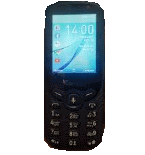
Guías disponibles para la sincronización con la nube segura
Funciones compatibles
- sincronización de contactos
- sincronización de calendario
- sincronización de fotos
- sincronización de vídeos
- sincronización automática


Transfiera sus contactos, calendário, fotos y vídeos desde Condor FP216l a un almacenamiento en línea y viceversa para mantenerlos seguros y actualizados.
Condor FP216l es compatible con PhoneCopy.
Tenga en cuenta que la siguiente configuración puede variar ligeramente según la versión del firmware.
Modelos confirmados
Versiones confirmadas
Noticias
- 9/11/19
- Un nuevo usuario de teléfono ha sincronizado sus contactos con PhoneCopy desde Tanzania.
versiones de KaiOS ejecutándose en Condor FP216l
Al sincronizar, los usuarios de PhoneCopy tenían las siguientes versiones de KaiOS en su Condor FP216l: KaiOS 2.5.1.1 (100.00%).
usuarios de Condor FP216l en todo el mundo
Según nuestras estadísticas, los usuarios de PhoneCopy utilizan Condor FP216l para la copia de seguridad de datos en los países Tanzania - 100.00%.
El siguiente mapa de calor muestra las sincronizaciones de contactos con Condor FP216l utilizando PhoneCopy en todo el mundo.
Guía de texto - Cómo hacer copias de seguridad
Desde Condor FP216l
- Download our PhoneCopy for KaiOS from application KaiOS Marketplace to your mobile device.
- After launching the application, create a new account from the application. If you have already created an account on web pages www.phonecopy.com, log in to this existing account in the application.
- After succesful login press "Synchronize" for complete synchronization, you can choose "This device >> Server" for one-way sync.
If you need more help with the settings, visit our step by step screenshot guide: How to synchronize contacts to phone with KaiOS
If you need more help with the settings, visit our step by step screenshot guide: How to backup contacts from phone with Kai OS
En el caso de problemas con la sincronización, contacte con nosotros.
A Condor FP216l
- Download our PhoneCopy for KaiOS from application KaiOS Marketplace to your mobile device.
- After launching the application, log in to this existing account in the application.
- After succesful login press "Synchronize" for complete synchronization, you can choose "Server >> This device" for one-way sync.
If you need more help with the settings, visit our step by step screenshot guide: How to synchronize contacts to phone with KaiOS
If you need more help with the settings, visit our step by step screenshot guide: How to backup contacts from phone with Kai OS
En el caso de problemas con la sincronización, contacte con nosotros.
Comentarios de usuarios
Para dejar un comentario, por favor inicie sesión.
-
I have a TCL Flip 3 with KaiOS 3.1. The PhoneCopy app does not appear in the app store, and I cannot get the CalDav syncing to work. I keep getting a server busy error message. Help! usuario desconocido, 29/3/26
-
I tried it again and now I'm getting an incorrect username or password error message. Should the username I type on my phone be my email or my username (which is my email without the @gmail.com portion)?
-
Hello,
CalDAV shares the same username / password as your account. Yes, as username, use the name displayed in the upper right corner of this webpage (jawz02). Ensure you have used the full URL suggested by the "Add DAV device" page. We check the logs and the username/password seems to have been written improperly.
-
-
