Realizar copia de seguridad de contactos desde HTC Galaxy HD2
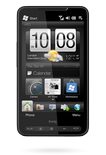
Guías disponibles para la sincronización con la nube segura
Funciones compatibles
- sincronización de contactos

Transfiera sus contactos desde HTC Galaxy HD2 a un almacenamiento en línea y viceversa para mantenerlos seguros y actualizados.
HTC Galaxy HD2 es compatible con PhoneCopy.
Tenga en cuenta que la siguiente configuración puede variar ligeramente según la versión del firmware.
Modelos confirmados
Versiones confirmadas
Guía de texto - Cómo hacer copias de seguridad
Con HTC Galaxy HD2
Las instrucciones no han sido trducidas a su lengua.
- Press Start - Programs - ActiveSync.
- Vyberte Menu - Add server source.
- Fill www.phonecopy.com into Server address.
- Leave This server requires an encrypted (SSL) connection checked.
- Press Next.
- Fill in your account details.
▼ hide fields
- Username: your_username
- Password: your_password
- Domain: phonecopy.com
- Press Next.
- Select the data to be synchronized:
▼ hide fields
- Contacts: yes
- Calendar: no
- Emails: no
- Tasks: no
- Pres Finish.
- Pressing Sync will perform a synchronization of your data with PhoneCopy.
- You can start future synchronizations by pressing Start - Programs - ActiveSync - Sync.
Notice: you do not need to assign the device via IMEI for Windows devices. Device assignment is automatic.
En el caso de problemas con la sincronización, contacte con nosotros.
