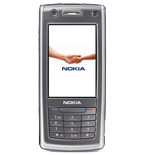
Realizar copia de seguridad de contactos desde Nokia 6708
Guías disponibles para la sincronización con la nube segura
Funciones compatibles
- sincronización de contactos

Transfiera sus contactos desde Nokia 6708 a un almacenamiento en línea y viceversa para mantenerlos seguros y actualizados.
Nokia 6708 es compatible con PhoneCopy.
Tenga en cuenta que la siguiente configuración puede variar ligeramente según la versión del firmware.
Guía de texto - Cómo hacer copias de seguridad
Con Nokia 6708
Las instrucciones no han sido trducidas a su lengua.
First go to the phone's Main Menu and then follow these steps:
- Select Tools, then Sync. Under Sync select Options and afterwards New sync profile.
- To Sync profile name fill in PhoneCopy.
- Select Connection settings and configure given fields
▼ hide fields
- Server version: select 1.2
- Server ID: leave blank
- Data bearer: Internet
- Access point: Select your operator's GPRS access point. We recommend using the "internet" data profiles if possible.
- Host address: write http://www.phonecopy.com/sync
- Port: write 80
- User name: your_username
- Password: your_password
- Allow sync request: Yes
- Accept all sync requests: No
- Network authentication: No
- Press Back and select Applications.
- In case you experience trouble during the synchronization, you may try enabling only one remote database at a time with the Include in sync option. Now, select items you want to back up:
▼ hide contacts
- Include in sync: Yes
- Remote database: contacts
- Synchronization type (use option normal or both):
- Press: Back
▼ hide calendar- Include in sync: Yes
- Remote database: calendar
- Synchronization type:
- Press: Back
▼ hide notes- Include in sync: Yes
- Remote database: notes
- Synchronization type:
- Press: Back
▼ hide sms- Include in sync: Yes
- Remote database: sms
- Synchronization type:
- Press: Back
- Synchronize your phone anytime by selecting Menu, Tools, then Sync - PhoneCopy - Synchronise
If you need more help with the settings, visit our step by step screenshot guides.
Por favor, ahora asigne su teléfono a su cuenta PhoneCopy.
En el caso de problemas con la sincronización, contacte con nosotros.
