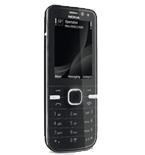
Realizar copia de seguridad de contactos, calendário, tareas, notas y mensajes SMS desde Nokia 6730 classic
Guías disponibles para la sincronización con la nube segura
Funciones compatibles
- sincronización de contactos
- sincronización de calendario
- sincronización de tareas
- sincronización de notas
- copia de seguridad de SMS

Transfiera sus contactos, calendário, tareas, notas y mensajes SMS desde Nokia 6730 classic a un almacenamiento en línea y viceversa para mantenerlos seguros y actualizados.
Nokia 6730 classic es compatible con PhoneCopy.
Tenga en cuenta que la siguiente configuración puede variar ligeramente según la versión del firmware.
Modelos confirmados
Guía de texto - Cómo hacer copias de seguridad
Con Nokia 6730 classic
First go to the phone's Main Menu and then follow these steps:
- Select Ctrl. panel and Phone, then Sync.
- Click Option and select New sync profile.
- Click Start and in Profile name write PhoneCopy, then as Server version select 1.2.
- Tick the items you want to back up, then press Next. According to your choice, further information will be requested:
▼ hide contacts
- Contact database: contacts
▼ hide calendar- Calendar database: calendar
▼ hide notes- Notes database: notes
▼ hide sms- Test messages database: sms
- Then configure given fields.
▼ hide fields
- Data bearer: Internet
- Host address: write http://www.phonecopy.com/sync
- Server ID: leave blank
- User name: your_username
- Password: your_password
- You will be asked, if you want to activate the profile. Choose Yes.
Congratulations!
Now, you can start syncing with PhoneCopy and get your phone backed up!
Remember, you need to sync your phone first. On your phone, in section Sync, click Options and select Synchronize.
If you need more help with the settings, visit our step by step screenshot guide.
Por favor, ahora asigne su teléfono a su cuenta PhoneCopy.
En el caso de problemas con la sincronización, contacte con nosotros.
