Realizar copia de seguridad de contactos desde Nokia N-Gage
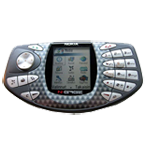
Guías disponibles para la sincronización con la nube segura
Funciones compatibles
- sincronización de contactos

Transfiera sus contactos desde Nokia N-Gage a un almacenamiento en línea y viceversa para mantenerlos seguros y actualizados.
Nokia N-Gage es compatible con PhoneCopy.
Tenga en cuenta que la siguiente configuración puede variar ligeramente según la versión del firmware.
Modelos confirmados
Guía de texto - Cómo hacer copias de seguridad
Con Nokia N-Gage
Las instrucciones no han sido trducidas a su lengua.
First go to the phone's Main Menu and then follow these steps:
- Select Sync, click Options and select Open.
- Click Options and select New sync profile. Refuse to copy previous values and configure given fields.
▼ hide fields
- Sync Profile Name: PhoneCopy
- Data bearer: Internet
- Access point: Select your operator's GPRS access point. We recommend using the "internet" data profiles if possible.
- Host address: write http://www.phonecopy.com/sync
- Port: write 80
- User name: your_username
- Password: your_password
- Calendar: Yes
- Remote calendar: write calendar
- Contacts: Yes
- Remote contacts: write contacts
- HTTP authentication: No
- HTTP user name: leave blank
- HTTP password: leave blank
Congratulations!
Now, you can start syncing with PhoneCopy and get your phone backed up!
Remember, you need to sync your phone first. On your phone, in section Sync, click Options and select Synchronize.
Por favor, ahora asigne su teléfono a su cuenta PhoneCopy.
En el caso de problemas con la sincronización, contacte con nosotros.
