Fazer cópia de segurança de contactos de Alcatel One Touch Fire
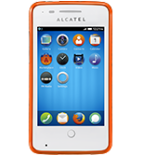
Guias disponíveis para sincronização com a nuvem segura
Funções suportadas
- sincronização de contactos

Transfira os seus contactos de Alcatel One Touch Fire para um armazenamento online e vice-versa para os manter seguros e atualizados.
Alcatel One Touch Fire é suportado pelo PhoneCopy.
Por favor, tenha em conta que as definições seguintes podem variar ligeiramente consoante a versão do firmware.
Modelos confirmados
Versões confirmadas
Guia de texto - Como fazer a cópia de segurança
De Alcatel One Touch Fire
- Download our PhoneCopy for Firefox OS from application Firefox Marketplace to your mobile device.
- After launching the application, create a new account from the application. If you have already created an account on web pages www.phonecopy.com, log in to this existing account in the application.
- After succesful login press "Synchronize" for complete synchronization, you can choose "This device >> server" for one-way sync.
If you need more help with the settings, visit our step by step screenshot guide: How to synchronize contacts to phone with Firefox OS
If you need more help with the settings, visit our step by step screenshot guide: How to backup contacts from phone with Firefox OS
Em caso de problemas com a sincronização, contacte-nos.
Para Alcatel One Touch Fire
- Download our PhoneCopy for Firefox OS from application Firefox Marketplace to your mobile device.
- After launching the application, create a new account from the application. If you have already created an account on web pages www.phonecopy.com, log in to this existing account in the application.
- After succesful login press "Synchronize" for complete synchronization, you can choose "This device >> server" for one-way sync.
If you need more help with the settings, visit our step by step screenshot guide: How to synchronize contacts to phone with Firefox OS
If you need more help with the settings, visit our step by step screenshot guide: How to backup contacts from phone with Firefox OS
Em caso de problemas com a sincronização, contacte-nos.