Backup contactos, calendário, photos and videos from Apple iPad Air
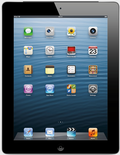
Available guides for synchronization to the secure cloud
Supported functions
- contact synchronization
- calendar synchronization
- photo synchronization
- video synchronization
- automatic sync

Transfer your contactos, calendário, photos and videos from Apple iPad Air to an online storage and back to keep them safe and up to date.
Apple iPad Air is supported on PhoneCopy.
Please note that following settings may vary a little depending on the firmware version.
News
- 31/07/25
- Recently we got new user of Apple iPad Air also in France. He is using PhoneCopy for backup of contactos, calendário and tarefas.
- 14/07/24
- This phone model was just synchronized by PhoneCopy user in Italy. It transferred contactos.
- 13/07/23
- Someone used PhoneCopy for backup of this phone model in Montenegro. His contactos, calendário and tarefas were transferred.
- 06/07/23
- We detected PhoneCopy app on Apple iPad Air phone in Albania. All contactos were backed up.
- 04/06/22
- User from Greece has synchronized contactos with his phone.
Apple iPad Air users around the world
Apple iPad Air is preffered for contact backup by PhoneCopy users in several countries around the world - Czechia (Czech Republic, Česká republika) - 98.89%, Croatia (Hrvatska) - 0.44%, Slovakia (Slovensko) - 0.20%, Italy (Italia) - 0.18%, Greece (Hellas, Ελλάς, Ellada, Ελλάδα) - 0.11%, Albania (Shqipëria) - 0.07%, Montenegro (Crna Gora, Црна Гора) - 0.03%, United States (Estados Unidos, États-Unis, ‘Amelika Hui Pū ‘ia) - 0.03%, France - 0.03%, Hungary (Magyarország) - 0.02%.
On the map
Following heat map illustrates share between users around the world synchronizing their Apple iPad Air using PhoneCopy.
Text guideline - How to backup
With Apple iPad Air
- Install PhoneCopy for iPhone / iPad from App Store.
- Launch it and follow the wizard that appears. Sign on if you already have a PhoneCopy account or register if you want to create a new one.
- Authorize access to contacts and then select sources (accounts) that you want to synchronize. Next authorize access to media and then select whether you want to synchronize photos and/or videos. If you do not allow PhoneCopy access to your media, only your contacts will by synchronized.
- If you already have media on your PhoneCopy account you can opt in to synchronize (download) them to this device.
- Finally tap on Synchronize to perform the complete synchronization.
If you need to synchronize calendar, see our guide on how to sync calendars with iOS devices.
In the case of problems with synchronization, please contact us.
