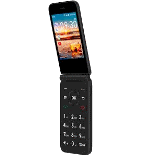
Backup contactos, calendário, photos and videos from AT&T Cingular Flip IV
Available guides for synchronization to the secure cloud
Supported functions
- contact synchronization
- calendar synchronization
- photo synchronization
- video synchronization
- automatic sync


Transfer your contactos, calendário, photos and videos from AT&T Cingular Flip IV to an online storage and back to keep them safe and up to date.
AT&T Cingular Flip IV is supported on PhoneCopy.
Please note that following settings may vary a little depending on the firmware version.
Confirmed models
Confirmed versions
News
- 14/05/26
- Someone used PhoneCopy for backup of this phone model in Czechia. His contactos and media were transferred.
- 02/09/25
- A new phone user has synchronized his contactos and media to PhoneCopy from Argentina.
- 09/07/25
- We detected PhoneCopy app on AT&T Cingular Flip IV phone in Mexico. All contactos and media were backed up.
- 25/09/23
- We detected PhoneCopy app on AT&T Cingular Flip IV phone in Canada. All contactos were backed up.
- 06/10/21
- Someone used PhoneCopy for backup of this phone model in Jamaica. His contactos were transferred.
KaiOS versions running on AT&T Cingular Flip IV
PhoneCopy for KaiOS app supports various KaiOS versions. Our users synchronized their AT&T Cingular Flip IV running KaiOS 2.5.3.1 (69.59%), KaiOS 2.5.3 (30.41%).
The chart depicts AT&T Cingular Flip IV backup with PhoneCopy, running on various versions of KaiOS.
AT&T Cingular Flip IV users around the world
AT&T Cingular Flip IV is often used by PhoneCopy users in countries like United States (Estados Unidos, États-Unis, ‘Amelika Hui Pū ‘ia) - 99.27%, Canada - 0.40%, Argentina - 0.13%, Jamaica - 0.07%, Czechia (Czech Republic, Česká republika) - 0.07%, Mexico (México, Mēxihco) - 0.07%.
Histogram depicts AT&T Cingular Flip IV backup with PhoneCopy around the world.
Text guideline - How to backup
From AT&T Cingular Flip IV
- Download our PhoneCopy for KaiOS from application KaiOS Marketplace to your mobile device.
- After launching the application, create a new account from the application. If you have already created an account on web pages www.phonecopy.com, log in to this existing account in the application.
- After succesful login press "Synchronize" for complete synchronization, you can choose "This device >> Server" for one-way sync.
If you need more help with the settings, visit our step by step screenshot guide: How to synchronize contacts to phone with KaiOS
If you need more help with the settings, visit our step by step screenshot guide: How to backup contacts from phone with Kai OS
In the case of problems with synchronization, please contact us.
To AT&T Cingular Flip IV
- Download our PhoneCopy for KaiOS from application KaiOS Marketplace to your mobile device.
- After launching the application, log in to this existing account in the application.
- After succesful login press "Synchronize" for complete synchronization, you can choose "Server >> This device" for one-way sync.
If you need more help with the settings, visit our step by step screenshot guide: How to synchronize contacts to phone with KaiOS
If you need more help with the settings, visit our step by step screenshot guide: How to backup contacts from phone with Kai OS
In the case of problems with synchronization, please contact us.
Comentários de utilizador
To leave a comment please sign in.
-
How does one download PhoneCopy? I don't see anywhere "download". dj83659, 12/05/21
-
Hi, you have to find KaiStore in your KaiOS mobile phone and you will find PhoneCopy under Utilities. You can download it only from there.
-
