Backup contactos from BlackBerry Curve 9315
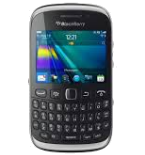
Available guides for synchronization to the secure cloud
Supported functions
- contact synchronization

Transfer your contactos from BlackBerry Curve 9315 to an online storage and back to keep them safe and up to date.
BlackBerry Curve 9315 is supported on PhoneCopy.
Please note that following settings may vary a little depending on the firmware version.
Text guideline - How to backup
From BlackBerry Curve 9315
A instrução ainda não foi traduzida para seu idioma.
If you need to transfer contacts from Blackberry Curve to PhoneCopy.com server, you can use screenshot guide too.
- For export contacts from Blackberry Curve to PhoneCopy com install Blackberry Desktop Software to your PC the first.
- Start Blackberry Desktop Software and press "Organizer".
- Select "Configure".
- Open "Sync direction" menu, choose "One way to your computer only", after open "Contacts account" menu, choose "Windows contacts" and press "OK".
- Mark "Contacts" and press "Sync Organizer".
- Contacts from your Blackberry Curve were saved as "Windows contacts" in your PC.
- Download and install PhoneCopy for Windows application.
- Start the application and small PhoneCopy icon will appear on right bottom corner of your screen on status bar.
- Press the icon and at the first time you will be asked to fill in your PhoneCopy Username and Password.
- Select "Contacts folder" and mark "Windows contacts" in "File format" menu and press "OK". Then press the PhoneCopy icon again.
- Select sync direction "This device to Server" and press "OK".
- Your contacts were copied to PhoneCopy.com server.
If you need more help, visit our step by step screenshot guide.
In the case of problems with synchronization, please contact us.
To BlackBerry Curve 9315
A instrução ainda não foi traduzida para seu idioma.
If you need to transfer contacts from PhoneCopy.com server to Blackberry Curve, you can use screenshot guide too.
- For import contacts to Blackberry Curve download and install PhoneCopy for Windows application.
- Start the application and small PhoneCopy icon will appear on right bottom corner of your screen on status bar.
- Press the icon and at the first time you will be asked to fill in your PhoneCopy Username and Password.
- Select "Contacts folder" and mark "Windows contacts" in "File format" menu and press "OK".
- Select sync direction "Server to This device" and press "OK".
- Your contacts were copied from PhoneCopy.com server to your PC.
- Now install Blackberry Desktop Software to your PC.
- Start Blackberry Desktop Software and press "Organizer".
- Select "Configure".
- Open "Sync direction" menu, choose "One way to your device only", after open "Contacts account" menu, choose "Windows contacts" and press "OK".
- Mark "Contacts" and press "Sync Organizer".
- Contacts from PhoneCopy.com were copied to your Blackberry Curve.
If you need more help, visit our step by step screenshot guide.
In the case of problems with synchronization, please contact us.
