Fazer cópia de segurança de contactos, calendário, fotografias e vídeos de Fise M42421A
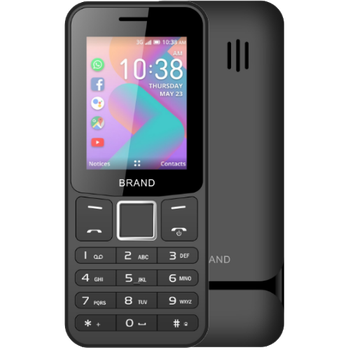
Guias disponíveis para sincronização com a nuvem segura
Funções suportadas
- sincronização de contactos
- sincronização de calendário
- sincronização de fotografias
- sincronização de vídeos
- sincronização automática


Transfira os seus contactos, calendário, fotografias e vídeos de Fise M42421A para um armazenamento online e vice-versa para os manter seguros e atualizados.
Fise M42421A é suportado pelo PhoneCopy.
Por favor, tenha em conta que as definições seguintes podem variar ligeiramente consoante a versão do firmware.
Guia de texto - Como fazer a cópia de segurança
De Fise M42421A
- Download our PhoneCopy for KaiOS from application KaiOS Marketplace to your mobile device.
- After launching the application, create a new account from the application. If you have already created an account on web pages www.phonecopy.com, log in to this existing account in the application.
- After succesful login press "Synchronize" for complete synchronization, you can choose "This device >> Server" for one-way sync.
If you need more help with the settings, visit our step by step screenshot guide: How to synchronize contacts to phone with KaiOS
If you need more help with the settings, visit our step by step screenshot guide: How to backup contacts from phone with Kai OS
Em caso de problemas com a sincronização, contacte-nos.
Para Fise M42421A
- Download our PhoneCopy for KaiOS from application KaiOS Marketplace to your mobile device.
- After launching the application, log in to this existing account in the application.
- After succesful login press "Synchronize" for complete synchronization, you can choose "Server >> This device" for one-way sync.
If you need more help with the settings, visit our step by step screenshot guide: How to synchronize contacts to phone with KaiOS
If you need more help with the settings, visit our step by step screenshot guide: How to backup contacts from phone with Kai OS
Em caso de problemas com a sincronização, contacte-nos.
Comentários de utilizadores
Para deixar um comentário, inicie sessão.
-
Hi, I noticed on your website that the Nokia 8000 4G is listed as supporting calendar sync. However, in my experience after testing it, the local calendar on my phone does not sync with my Google Calendar (which works in the web version). Only contact sync appears to function. Could you please clarify whether calendar sync is actually supported for this device, or if there is a workaround available? Thanks! akiesel, 28/12/25
-
Yes, you are right, the app only synchronizes contacts and media files. We have replied you in the CardDAV-related thread as well.
-