Backup contactos from Geeksphone Keon
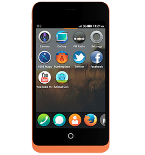
Available guides for synchronization to the secure cloud
Supported functions
- contact synchronization

Transfer your contactos from Geeksphone Keon to an online storage and back to keep them safe and up to date.
Geeksphone Keon is supported on PhoneCopy.
Please note that following settings may vary a little depending on the firmware version.
Text guideline - How to backup
From Geeksphone Keon
- Download our PhoneCopy for Firefox OS from application Firefox Marketplace to your mobile device.
- After launching the application, create a new account from the application. If you have already created an account on web pages www.phonecopy.com, log in to this existing account in the application.
- After succesful login press "Synchronize" for complete synchronization, you can choose "This device >> server" for one-way sync.
If you need more help with the settings, visit our step by step screenshot guide: How to synchronize contacts to phone with Firefox OS
If you need more help with the settings, visit our step by step screenshot guide: How to backup contacts from phone with Firefox OS
In the case of problems with synchronization, please contact us.
To Geeksphone Keon
- Download our PhoneCopy for Firefox OS from application Firefox Marketplace to your mobile device.
- After launching the application, create a new account from the application. If you have already created an account on web pages www.phonecopy.com, log in to this existing account in the application.
- After succesful login press "Synchronize" for complete synchronization, you can choose "This device >> server" for one-way sync.
If you need more help with the settings, visit our step by step screenshot guide: How to synchronize contacts to phone with Firefox OS
If you need more help with the settings, visit our step by step screenshot guide: How to backup contacts from phone with Firefox OS
In the case of problems with synchronization, please contact us.
