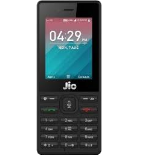
Backup contactos, calendário, photos and videos from Jio Jiophone F271I
Available guides for synchronization to the secure cloud
Supported functions
- contact synchronization
- calendar synchronization
- photo synchronization
- video synchronization
- automatic sync


Transfer your contactos, calendário, photos and videos from Jio Jiophone F271I to an online storage and back to keep them safe and up to date.
Jio Jiophone F271I is supported on PhoneCopy.
Please note that following settings may vary a little depending on the firmware version.
Text guideline - How to backup
From Jio Jiophone F271I
- Download our PhoneCopy for KaiOS from application KaiOS Marketplace to your mobile device.
- After launching the application, create a new account from the application. If you have already created an account on web pages www.phonecopy.com, log in to this existing account in the application.
- After succesful login press "Synchronize" for complete synchronization, you can choose "This device >> Server" for one-way sync.
If you need more help with the settings, visit our step by step screenshot guide: How to synchronize contacts to phone with KaiOS
If you need more help with the settings, visit our step by step screenshot guide: How to backup contacts from phone with Kai OS
In the case of problems with synchronization, please contact us.
To Jio Jiophone F271I
- Download our PhoneCopy for KaiOS from application KaiOS Marketplace to your mobile device.
- After launching the application, log in to this existing account in the application.
- After succesful login press "Synchronize" for complete synchronization, you can choose "Server >> This device" for one-way sync.
If you need more help with the settings, visit our step by step screenshot guide: How to synchronize contacts to phone with KaiOS
If you need more help with the settings, visit our step by step screenshot guide: How to backup contacts from phone with Kai OS
In the case of problems with synchronization, please contact us.
Comentários de utilizador
To leave a comment please sign in.
-
-
If you will find similar settings like in our guide, it will work.
https://www.phonecopy.com/en/phones/view/samsung_xcover_271_%28gt-b2710%29?referrer=Samsung#text-guideline-
Thank you for your suggestion. I do not own the cell phone today, I am looking for a new one. One important criterium for me is whether you support it.
So, alas, I cannot check...
What about the NOKIA 5710 XpressAudio? Is this in planing or...? The N5700 with & w/o Xpressmusic is supported.
Beafone and Swisstone are off your radar, are they?
Thank you for your patience.
-
Everytime you can check list of our supported phoned https://www.phonecopy.com/en/phones/
-
-
-

Dou you also support Samsung B2710?
I have no idea what might be the difference between the two.
Thank you. nachtkrabb, 28/02/23