Backup contactos, calendário, photos and videos from MTN Smart T M561M3
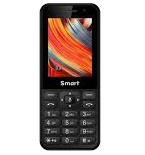
Available guides for synchronization to the secure cloud
Supported functions
- contact synchronization
- calendar synchronization
- photo synchronization
- video synchronization
- automatic sync


Transfer your contactos, calendário, photos and videos from MTN Smart T M561M3 to an online storage and back to keep them safe and up to date.
MTN Smart T M561M3 is supported on PhoneCopy.
Please note that following settings may vary a little depending on the firmware version.
Confirmed models
Confirmed versions
News
- 04/07/24
- We detected PhoneCopy app on MTN Smart T M561M3 phone in Malawi. All contactos and media were backed up.
- 02/02/24
- First user from Mozambique just synced his contactos and media on MTN Smart T M561M3 phone.
- 17/04/22
- This phone model was just synchronized by PhoneCopy user in South Sudan. It transferred contactos.
- 02/03/22
- MTN Smart T M561M3 phone was synchronized by PhoneCopy user in Ireland. His contactos were transferred.
- 04/05/21
- MTN Smart T M561M3 phone was synchronized by PhoneCopy user in Afghanistan. His contactos were transferred.
KaiOS versions running on MTN Smart T M561M3
When synchronizing, PhoneCopy users had following KaiOS versions on their MTN Smart T M561M3: KaiOS 2.5.1.1 (43.82%), KaiOS 2.5.1 (43.59%), KaiOS 2.5.1.2 (12.60%).
Following chart shows contacts synchronisations with MTN Smart T M561M3 running different KaiOS versions.
MTN Smart T M561M3 users around the world
MTN Smart T M561M3 is preffered for contact backup by PhoneCopy users around the world - Nigeria (Nijeriya, Naigeria, Nàìjíríà) - 57.57%, Uganda - 22.06%, Zambia - 5.18%, South Africa (Suid-Afrika, iNingizimu Afrika, uMzantsi Afrika, Afrika-Borwa, Afrika Borwa, Aforika Borwa, Afurika Tshipembe, Afrika Dzonga, iSewula Afrika) - 4.83%, Cameroon (Cameroun) - 3.10%, Rwanda - 2.29%, Republic of the Congo (République du Congo, Republíki ya Kongó) - 1.29%, Ghana (Gaana, Gana) - 1.12%, Democratic Republic of the Congo (République démocratique du Congo, Republíki ya Kongó Demokratíki, Jamhuri ya Kidemokrasia ya Kongo) - 0.61%, Ivory Coast (Côte d'Ivoire) - 0.49% and 19 other countries.
Following heat map shows contacts synchronisations with MTN Smart T M561M3 using PhoneCopy across the globe.
Text guideline - How to backup
From MTN Smart T M561M3
- Download our PhoneCopy for KaiOS from application KaiOS Marketplace to your mobile device.
- After launching the application, log in to this existing account in the application.
- After succesful login press "Synchronize" for complete synchronization, you can choose "Server >> This device" for one-way sync.
If you need more help with the settings, visit our step by step screenshot guide: How to synchronize contacts to phone with KaiOS
If you need more help with the settings, visit our step by step screenshot guide: How to backup contacts from phone with Kai OS
In the case of problems with synchronization, please contact us.
To MTN Smart T M561M3
- Download our PhoneCopy for KaiOS from application KaiOS Marketplace to your mobile device.
- After launching the application, create a new account from the application. If you have already created an account on web pages www.phonecopy.com, log in to this existing account in the application.
- After succesful login press "Synchronize" for complete synchronization, you can choose "This device >> Server" for one-way sync.
If you need more help with the settings, visit our step by step screenshot guide: How to synchronize contacts to phone with KaiOS
If you need more help with the settings, visit our step by step screenshot guide: How to backup contacts from phone with Kai OS
In the case of problems with synchronization, please contact us.
Comentários de utilizador
To leave a comment please sign in.
-
How does one download PhoneCopy? I don't see anywhere "download". dj83659, 12/05/21
-
Hi, you have to find KaiStore in your KaiOS mobile phone and you will find PhoneCopy under Utilities. You can download it only from there.
-
