Fazer cópia de segurança de contactos, calendário e tarefas de Sailfish Sailfish OS
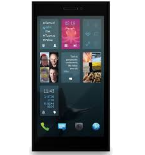
Guias disponíveis para sincronização com a nuvem segura
Funções suportadas
- sincronização de contactos
- sincronização de calendário
- sincronização de tarefas
- sincronização automática

Transfira os seus contactos, calendário e tarefas de Sailfish Sailfish OS para um armazenamento online e vice-versa para os manter seguros e atualizados.
Sailfish Sailfish OS é suportado pelo PhoneCopy.
Por favor, tenha em conta que as definições seguintes podem variar ligeiramente consoante a versão do firmware.
Modelos confirmados
Versões confirmadas
Guia de texto - Como fazer a cópia de segurança
Com Sailfish Sailfish OS
A guia ainda não foi traduzida para o seu idioma.
- Press Start - Programs - ActiveSync.
- Choose Menu - Add server source.
- Fill www.phonecopy.com into Server address.
- Leave This server requires an encrypted (SSL) connection checked.
- Press Next.
- Fill in your account details.
▼ hide fields
- Username: your_username
- Password: your_password
- Domain: phonecopy
- Press Next.
- Select the data to be synchronized:
▼ hide fields
- Contacts: yes
- Calendar: no
- Emails: no
- Tasks: no
- Pres Finish.
- Pressing Sync will perform a synchronization of your data with PhoneCopy.
- You can start future synchronizations by pressing Start - Programs - ActiveSync - Sync.
Em caso de problemas com a sincronização, contacte-nos.
