Backup contactos, calendário, tarefas and notas from Sony Ericsson W715
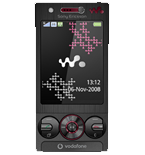
Available guides for synchronization to the secure cloud
Supported functions
- contact synchronization
- calendar synchronization
- task synchronization
- note synchronization

Transfer your contactos, calendário, tarefas and notas from Sony Ericsson W715 to an online storage and back to keep them safe and up to date.
Sony Ericsson W715 is supported on PhoneCopy.
Please note that following settings may vary a little depending on the firmware version.
Confirmed models
Confirmed versions
News
- 14/02/20
- We just got first user of Sony Ericsson W715 in Czechia! Someone just backed up his contactos from a new phone.
Sony Ericsson W715 users around the world
Sony Ericsson W715 is preffered for contact backup by PhoneCopy users in several countries around the world - Czechia (Czech Republic, Česká republika) - 100.00%.
On the map
Following heat map shows contacts synchronisations with Sony Ericsson W715 using PhoneCopy across the globe.
Text guideline - How to backup
With Sony Ericsson W715
| Nome do Perfil: | PhoneCopy |
|---|---|
| Endereço Host: | http://www.phonecopy.com/sync |
| Port: | 80 |
| Login name: | username |
| Senha: | Coloque a senha (tamanho permitido é de 5-50 caracteres) |
| Calendário remoto da base de dados: | Calendário |
| Contacto remoto da base de dados: | Contactos |
| Nota de base de dados Remoto: | Notas |
| Tarefa Remota/To-Do base de dados: | Tarefas |
| Autenticação HTTP | Não |
| HTTP/Rede nome de usuário: | Não coloque |
| Senha HTTP: | Não coloque |
| Permitir o pedido de sincronização: | Sim |
| Confirmar o pedido de sincronização: | Não |
| Ligação à Internet: | Escolha uma conexão que você usa para navegar na Internet no seu telemóvel(e.g. internet ou GPRS etc.) |
Quando a instalação acima terminar, iniciar a sincronização.
And now please, assign your phone to your PhoneCopy account.
In the case of problems with synchronization, please contact us.
