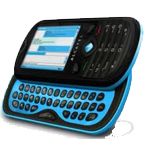
Alcatel One Touch OT-606 Chat dan yedeklenen kişiler ve takvim
Güvenli buluta senkronizasyon için mevcut kılavuzlar
Desteklenen işlevler
- Kişiler senkronizasyonu
- Takvim senkronizasyonu

kişiler ve takvim verilerinizi Alcatel One Touch OT-606 Chat cihazından çevrimiçi bir depolama alanına ve geri aktararak güvende ve güncel tutun.
Alcatel One Touch OT-606 Chat cihazını PhoneCopy desteklenmektedir.
Lütfen aşağıdaki ayarların ürün yazılımı sürümüne bağlı olarak biraz değişebileceğini unutmayın.
Onaylanan modeller
Haberler
- 1.11.2019
- Recently we got new user of Alcatel One Touch OT-606 Chat also in Polonya. He is using PhoneCopy for backup of kişiler.
dünya genelindeki Alcatel One Touch OT-606 Chat kullanıcıları
İstatistiklerimize göre, PhoneCopy kullanıcıları Alcatel One Touch OT-606 Chat cihazını Polonya (Polska) - 100.00% ülkelerinde veri yedeklemesi için kullanmaktadır.
Haritada
Histogram, dünya genelinde PhoneCopy ile Alcatel One Touch OT-606 Chat yedeklemesini göstermektedir.
Talimat metni - Nasıl yedekleme yapılır
Alcatel One Touch OT-606 Chat ile
| Profile name: | PhoneCopy |
|---|---|
| Host address: | http://www.phonecopy.com/sync |
| Port: | 80 |
| Login name: | username |
| Password: | Enter the password (allowed length is 5-50 characters) |
| Remote calendar database: | Calendar |
| Remote contact database: | Contacts |
| Remote note database: | Notes |
| Remote task/To-Do database: | Tasks |
| HTTP authentication | No |
| HTTP/Network username: | Do not enter |
| HTTP password: | Do not enter |
| Allow sync request: | Yes |
| Confirm sync request: | No |
| Internet connection: | Choose a connection, which you use for web browsing on your mobile phone (e.g. internet or GPRS etc.) |
When the above mentioned set up is done, start a sychronization.
Ve lütfen şimdi, Telefonunuzu PhoneCopy hesabınıza atama işlemini yapınız
Senkronizasyon esnasında herhangi bir problemle karşılaşırsanız Yardım İsteyin
