Honor 9N (lld-al20) dan yedeklenen kişiler, fotoğraflar, videolar, sms mesajları ve arama günlükleri
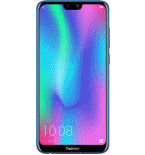
Güvenli buluta senkronizasyon için mevcut kılavuzlar
Desteklenen işlevler
- Kişiler senkronizasyonu
- SMS yedeklemesi
- arama günlüğü yedeklemesi
- fotoğraf senkronizasyonu
- video senkronizasyonu
- Otomatik senkronizasyon


kişiler, fotoğraflar, videolar, sms mesajları ve arama günlükleri verilerinizi Honor 9N (lld-al20) cihazından çevrimiçi bir depolama alanına ve geri aktararak güvende ve güncel tutun.
Honor 9N (lld-al20) cihazını PhoneCopy desteklenmektedir.
Lütfen aşağıdaki ayarların ürün yazılımı sürümüne bağlı olarak biraz değişebileceğini unutmayın.
Onaylanan modeller
Onaylanan sürümler
- Android 9.0 Pie
- Android 8.0 Oreo
Haberler
- 19.12.2021
- Someone used PhoneCopy for backup of this phone model in Kanada. His kişiler were transferred.
- 12.06.2021
- PhoneCopy app is fully supported on Honor 9N (lld-al20) with Android operating system and Huawei Mobile Services.
- 11.06.2021
- We just got first user of this model in Uganda! Someone just backed up his kişiler.
- 1.09.2020
- User from Bangladeş has synchronized kişiler with his phone.
- 20.11.2019
- User from Hindistan has synchronized kişiler with his phone.
Honor 9N (lld-al20) üzerinde çalışan Android sürümleri
PhoneCopy for Android uygulaması çeşitli Android sürümlerini desteklemektedir. Kullanıcılarımız Android 8.0 Oreo (64.29%), Android 9.0 Pie (35.71%) çalıştıran Honor 9N (lld-al20) cihazlarını senkronize etti.
Aşağıdaki pasta grafiği, PhoneCopy ile senkronize edilirken Honor 9N (lld-al20) üzerindeki Android sürümleri arasındaki payı göstermektedir.
dünya genelindeki Honor 9N (lld-al20) kullanıcıları
Honor 9N (lld-al20), dünya genelindeki birçok ülkede PhoneCopy kullanıcıları tarafından kişi yedeklemesi için tercih edilmektedir - Hindistan (Bharôt, ভাৰত, ভারত, Bhārat, ભારત, भारत, Bhārata, ಭಾರತ, Bhāratam, ഭാരതം, Bharôtô, ଭାରତ, ਭਾਰਤ, भारतम्, Bārata, பாரதம், Bhāratadēsam, భారత దేశం) - 80.00%, Uganda - 6.67%, Bangladeş (বাংলাদেশ) - 6.67%, Kanada - 6.67%.
Aşağıdaki ısı haritası, PhoneCopy kullanarak Honor 9N (lld-al20) cihazlarını senkronize eden dünya genelindeki kullanıcılar arasındaki payı göstermektedir.
Talimat metni - Nasıl yedekleme yapılır
Honor 9N (lld-al20) 'dan
- Download our PhoneCopy for Huawei application to your mobile device.
- After launching the application, create a new account from the application. If you have already created an account on web pages www.phonecopy.com, log in to this existing account in the application.
- After succesful login press "Synchronize" for complete synchronization, or press "Advanced & Account", select "One-way sync" and after choose "This device >> server" for one-way sync.
More detailed information and instructions include screenshots: how to backup and synchronize contacts from Huawei
For more information about our app, visit our PhoneCopy for Huawei page.
Let us just remind you, that for now PhoneCopy for Android transfers to server contacts, photos, videos, Call Logs and SMS.
Senkronizasyon esnasında herhangi bir problemle karşılaşırsanız Yardım İsteyin
Honor 9N (lld-al20) 'a doğru
- Download our PhoneCopy for Huawei application to your mobile device.
- After launching the application, create a new account from the application. If you have already created an account on web pages www.phonecopy.com, log in to this existing account in the application.
- After succesful login press "Synchronize" for complete synchronization, or press "Advanced & Account", select "One-way sync" and after choose "Server >> this device" for one-way sync.
More detailed information and instructions include screenshots: how transfer contacts to Huawei
For more information about our app, visit our PhoneCopy for Huawei page.
Let us just remind you, that for now PhoneCopy for Android transfers to server contacts, photos, videos, Call Logs and SMS.
Senkronizasyon esnasında herhangi bir problemle karşılaşırsanız Yardım İsteyin
Kullanıcı yorumları
Yorum yazmak için lütfen Giriş yapın
-
Advan ita66051, 15.08.2026
