Jazz Digit 4G Defender dan yedeklenen kişiler, takvim, fotoğraflar ve videolar
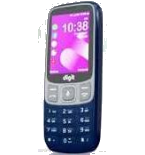
Güvenli buluta senkronizasyon için mevcut kılavuzlar
Desteklenen işlevler
- Kişiler senkronizasyonu
- Takvim senkronizasyonu
- fotoğraf senkronizasyonu
- video senkronizasyonu
- Otomatik senkronizasyon


kişiler, takvim, fotoğraflar ve videolar verilerinizi Jazz Digit 4G Defender cihazından çevrimiçi bir depolama alanına ve geri aktararak güvende ve güncel tutun.
Jazz Digit 4G Defender cihazını PhoneCopy desteklenmektedir.
Lütfen aşağıdaki ayarların ürün yazılımı sürümüne bağlı olarak biraz değişebileceğini unutmayın.
Onaylanan modeller
Onaylanan sürümler
Haberler
- 21.04.2025
- Someone just used PhoneCopy for backup of Jazz Digit 4G Defender in country Çin. His kişiler ve medya were backed up.
- 1.06.2024
- Jazz Digit 4G Defender phone was synchronized by PhoneCopy user in Güney Afrika. His kişiler ve medya were transferred.
- 31.03.2024
- First user from Amerika Birleşik Devletleri just synced his kişiler ve medya on Jazz Digit 4G Defender phone.
- 21.05.2021
- Recently we got new user of Jazz Digit 4G Defender also in Pakistan. He is using PhoneCopy for backup of kişiler.
Jazz Digit 4G Defender üzerinde çalışan KaiOS sürümleri
PhoneCopy for KaiOS uygulaması çeşitli KaiOS sürümlerini desteklemektedir. Kullanıcılarımız KaiOS 2.5.3.2 (71.28%), KaiOS 2.5.3.1 (28.72%) çalıştıran Jazz Digit 4G Defender cihazlarını senkronize etti.
Aşağıdaki pasta grafiği, PhoneCopy ile senkronize edilirken Jazz Digit 4G Defender üzerindeki KaiOS sürümleri arasındaki payı göstermektedir.
dünya genelindeki Jazz Digit 4G Defender kullanıcıları
Jazz Digit 4G Defender, PhoneCopy kullanıcıları tarafından Pakistan (Pākistān, پاکستان) - 97.85%, Çin (Zhōngguó, Zhōnghuá Rénmín Gònghéguó, 中国, 中华人民共和国) - 1.08%, Amerika Birleşik Devletleri (Estados Unidos, États-Unis, ‘Amelika Hui Pū ‘ia) - 0.54%, Güney Afrika (Suid-Afrika, iNingizimu Afrika, uMzantsi Afrika, Afrika-Borwa, Afrika Borwa, Aforika Borwa, Afurika Tshipembe, Afrika Dzonga, iSewula Afrika) - 0.54% gibi ülkelerde sıklıkla kullanılmaktadır.
Aşağıdaki ısı haritası, PhoneCopy kullanarak Jazz Digit 4G Defender cihazlarını senkronize eden dünya genelindeki kullanıcılar arasındaki payı göstermektedir.
Talimat metni - Nasıl yedekleme yapılır
Jazz Digit 4G Defender 'dan
- Download our PhoneCopy for KaiOS from application KaiOS Marketplace to your mobile device.
- After launching the application, create a new account from the application. If you have already created an account on web pages www.phonecopy.com, log in to this existing account in the application.
- After succesful login press "Synchronize" for complete synchronization, you can choose "This device >> Server" for one-way sync.
If you need more help with the settings, visit our step by step screenshot guide: How to synchronize contacts to phone with KaiOS
If you need more help with the settings, visit our step by step screenshot guide: How to backup contacts from phone with Kai OS
Senkronizasyon esnasında herhangi bir problemle karşılaşırsanız Yardım İsteyin
Jazz Digit 4G Defender 'a doğru
- Download our PhoneCopy for KaiOS from application KaiOS Marketplace to your mobile device.
- After launching the application, log in to this existing account in the application.
- After succesful login press "Synchronize" for complete synchronization, you can choose "Server >> This device" for one-way sync.
If you need more help with the settings, visit our step by step screenshot guide: How to synchronize contacts to phone with KaiOS
If you need more help with the settings, visit our step by step screenshot guide: How to backup contacts from phone with Kai OS
Senkronizasyon esnasında herhangi bir problemle karşılaşırsanız Yardım İsteyin
Kullanıcı yorumları
Yorum yazmak için lütfen Giriş yapın
-
I have a TCL Flip 3 with KaiOS 3.1. The PhoneCopy app does not appear in the app store, and I cannot get the CalDav syncing to work. I keep getting a server busy error message. Help! bilinmeyen kullanıcı, 29.03.2026
-
I tried it again and now I'm getting an incorrect username or password error message. Should the username I type on my phone be my email or my username (which is my email without the @gmail.com portion)?
-
Hello,
CalDAV shares the same username / password as your account. Yes, as username, use the name displayed in the upper right corner of this webpage (jawz02). Ensure you have used the full URL suggested by the "Add DAV device" page. We check the logs and the username/password seems to have been written improperly.
-
-
