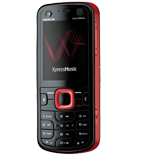
Nokia 5320 XpressMusic dan yedeklenen kişiler, takvim, görevler, notlar ve sms mesajları
Güvenli buluta senkronizasyon için mevcut kılavuzlar
Desteklenen işlevler
- Kişiler senkronizasyonu
- Takvim senkronizasyonu
- görev senkronizasyonu
- Notlar senkronizasyonu
- SMS yedeklemesi

kişiler, takvim, görevler, notlar ve sms mesajları verilerinizi Nokia 5320 XpressMusic cihazından çevrimiçi bir depolama alanına ve geri aktararak güvende ve güncel tutun.
Nokia 5320 XpressMusic cihazını PhoneCopy desteklenmektedir.
Lütfen aşağıdaki ayarların ürün yazılımı sürümüne bağlı olarak biraz değişebileceğini unutmayın.
Onaylanan modeller
Haberler
dünya genelindeki Nokia 5320 XpressMusic kullanıcıları
Nokia 5320 XpressMusic, PhoneCopy kullanıcıları tarafından Nijerya (Nijeriya, Naigeria, Nàìjíríà) - 50.00%, Belarus (Bielaruś, Беларусь) - 50.00% gibi ülkelerde sıklıkla kullanılmaktadır.
Haritada
Histogram, dünya genelinde PhoneCopy ile Nokia 5320 XpressMusic yedeklemesini göstermektedir.
Talimat metni - Nasıl yedekleme yapılır
Nokia 5320 XpressMusic ile
First go to the phone's Main Menu and then follow these steps:
- Select Ctrl. panel and Phone, then Sync.
- Click Option and select New sync profile.
- Click Start and in Profile name write PhoneCopy, then as Server version select 1.2.
- Tick the items you want to back up, then press Next. According to your choice, further information will be requested:
▼ hide contacts
- Contact database: contacts
▼ hide calendar- Calendar database: calendar
▼ hide notes- Notes database: notes
▼ hide sms- Test messages database: sms
- Then configure given fields.
▼ hide fields
- Data bearer: Internet
- Host address: write http://www.phonecopy.com/sync
- Server ID: leave blank
- User name: your_username
- Password: your_password
- You will be asked, if you want to activate the profile. Choose Yes.
Congratulations!
Now, you can start syncing with PhoneCopy and get your phone backed up!
Remember, you need to sync your phone first. On your phone, in section Sync, click Options and select Synchronize.
If you need more help with the settings, visit our step by step screenshot guide.
Ve lütfen şimdi, Telefonunuzu PhoneCopy hesabınıza atama işlemini yapınız
Senkronizasyon esnasında herhangi bir problemle karşılaşırsanız Yardım İsteyin
