Nokia 5630d dan yedeklenen kişiler, takvim, görevler, notlar ve sms mesajları
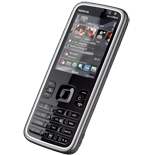
Güvenli buluta senkronizasyon için mevcut kılavuzlar
Desteklenen işlevler
- Kişiler senkronizasyonu
- Takvim senkronizasyonu
- görev senkronizasyonu
- Notlar senkronizasyonu
- SMS yedeklemesi

kişiler, takvim, görevler, notlar ve sms mesajları verilerinizi Nokia 5630d cihazından çevrimiçi bir depolama alanına ve geri aktararak güvende ve güncel tutun.
Nokia 5630d cihazını PhoneCopy desteklenmektedir.
Lütfen aşağıdaki ayarların ürün yazılımı sürümüne bağlı olarak biraz değişebileceğini unutmayın.
Onaylanan modeller
Haberler
- 29.04.2025
- Someone used PhoneCopy for backup of this phone model in Sri Lanka. His kişiler were transferred.
dünya genelindeki Nokia 5630d kullanıcıları
Nokia 5630d, dünya genelindeki birçok ülkede PhoneCopy kullanıcıları tarafından kişi yedeklemesi için tercih edilmektedir - Sri Lanka (Sri Lankā, ශ්රී ලංකාව, இலங்கை) - 100.00%.
Haritada
Histogram, dünya genelinde PhoneCopy ile Nokia 5630d yedeklemesini göstermektedir.
Talimat metni - Nasıl yedekleme yapılır
Nokia 5630d ile
First go to the phone's Main Menu and then follow these steps:
- Select Ctrl. panel and Phone, then Sync.
- Click Option and select New sync profile.
- Click Start and in Profile name write PhoneCopy, then as Server version select 1.2.
- Tick the items you want to back up, then press Next. According to your choice, further information will be requested:
▼ hide contacts
- Contact database: contacts
▼ hide calendar- Calendar database: calendar
▼ hide notes- Notes database: notes
▼ hide sms- Test messages database: sms
- Then configure given fields.
▼ hide fields
- Data bearer: Internet
- Host address: write http://www.phonecopy.com/sync
- Server ID: leave blank
- User name: your_username
- Password: your_password
- You will be asked, if you want to activate the profile. Choose Yes.
Congratulations!
Now, you can start syncing with PhoneCopy and get your phone backed up!
Remember, you need to sync your phone first. On your phone, in section Sync, click Options and select Synchronize.
If you need more help with the settings, visit our step by step screenshot guide.
Ve lütfen şimdi, Telefonunuzu PhoneCopy hesabınıza atama işlemini yapınız
Senkronizasyon esnasında herhangi bir problemle karşılaşırsanız Yardım İsteyin
