Nokia 6680 dan yedeklenen kişiler, takvim, görevler ve notlar
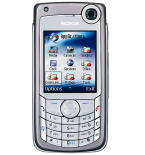
Güvenli buluta senkronizasyon için mevcut kılavuzlar
Desteklenen işlevler
- Kişiler senkronizasyonu
- Takvim senkronizasyonu
- görev senkronizasyonu
- Notlar senkronizasyonu

kişiler, takvim, görevler ve notlar verilerinizi Nokia 6680 cihazından çevrimiçi bir depolama alanına ve geri aktararak güvende ve güncel tutun.
Nokia 6680 cihazını PhoneCopy desteklenmektedir.
Lütfen aşağıdaki ayarların ürün yazılımı sürümüne bağlı olarak biraz değişebileceğini unutmayın.
Onaylanan modeller
Haberler
- 9.01.2024
- Someone just used PhoneCopy for backup of Nokia 6680 in country İtalya. His kişiler were backed up.
dünya genelindeki Nokia 6680 kullanıcıları
Nokia 6680, dünya genelindeki birçok ülkede PhoneCopy kullanıcıları tarafından kişi yedeklemesi için tercih edilmektedir - İtalya (Italia) - 100.00%.
Haritada
Harita, dünya genelinde PhoneCopy ile kişi yedeklemesi için Nokia 6680 kullanımını göstermektedir.
Talimat metni - Nasıl yedekleme yapılır
Nokia 6680 ile
First go to the phone's Main Menu and then follow these steps:
- Select Connections, then Sync. Under Sync select Options and afterwards New sync profile.
- Configure given fields.
▼ hide fields
- Sync Profile Name: PhoneCopy
- Data bearer: Internet
- Access point: Select your operator's GPRS access point. We recommend using the "Internet" data profiles if possible.
- Host address: write http://www.phonecopy.com/sync
- Port: write 80
- User name: choose and write name
- Password: choose and write password
- Allow sync request: Yes
- Accept all sync requests: No
- Press Back and select Applications.
- Select items you want to back up:
▼ hide contacts
- Include in sync: Yes
- Remote database: contacts
- Synchronization type:
- Press: Back
▼ hide calendar- Include in sync: Yes
- Remote database: calendar
- Synchronization type:
- Press: Back
▼ hide notes- Include in sync: Yes
- Remote database: notes
- Synchronization type:
- Press: Back
▼ hide sms- Include in sync: Yes
- Remote database: sms
- Synchronization type:
- Press: Back
Congratulations!
Now, you can start syncing with PhoneCopy and get your phone backed up!
Remember, you need to sync your phone first. On your phone, click PhoneCopy and Synchronize now.
Ve lütfen şimdi, Telefonunuzu PhoneCopy hesabınıza atama işlemini yapınız
Senkronizasyon esnasında herhangi bir problemle karşılaşırsanız Yardım İsteyin
