Samsung GT-S3653W dan yedeklenen kişiler, takvim, görevler ve notlar
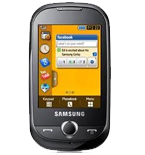
Güvenli buluta senkronizasyon için mevcut kılavuzlar
Desteklenen işlevler
- Kişiler senkronizasyonu
- Takvim senkronizasyonu
- görev senkronizasyonu
- Notlar senkronizasyonu

kişiler, takvim, görevler ve notlar verilerinizi Samsung GT-S3653W cihazından çevrimiçi bir depolama alanına ve geri aktararak güvende ve güncel tutun.
Samsung GT-S3653W cihazını PhoneCopy desteklenmektedir.
Lütfen aşağıdaki ayarların ürün yazılımı sürümüne bağlı olarak biraz değişebileceğini unutmayın.
Onaylanan modeller
Onaylanan sürümler
Haberler
- 8.12.2020
- A new phone user has synchronized his kişiler to PhoneCopy from Türkiye.
dünya genelindeki Samsung GT-S3653W kullanıcıları
Samsung GT-S3653W, PhoneCopy kullanıcıları tarafından Türkiye (Türkiye) - 100.00% gibi ülkelerde sıklıkla kullanılmaktadır.
Haritada
Aşağıdaki ısı haritası, dünya genelinde PhoneCopy kullanarak Samsung GT-S3653W ile yapılan kişi senkronizasyonlarını göstermektedir.
Talimat metni - Nasıl yedekleme yapılır
Samsung GT-S3653W ile
First go to the phone's Main Menu and then follow these steps:
- Select Synchronize and choose Add.
- Configure given fields.
▼ hide fields
- Profile name: write PhoneCopy
- Synchronization category: Select the items you would like to synchronize. All will synchronize all items.
- Contacts
- to remote contacts write contacts, the rest can be left blank
- Plan
- to remote calendar write calendar, the rest can be left blank
- Task
- to remote task write tasks, the rest can be left blank
- Notes
- to remote notes write notes, the rest can be left blank
- Synchronization type: select Complete synchronization
- Synchronization server:
- Address
- write http://www.phonecopy.com/sync
- Login ID
- your_username
- Password
- your_password
- Save the data.
- Go to section Synchronise, select PhoneCopy profile and press OK to start the synchronization.
Ve lütfen şimdi, Telefonunuzu PhoneCopy hesabınıza atama işlemini yapınız
Senkronizasyon esnasında herhangi bir problemle karşılaşırsanız Yardım İsteyin
